
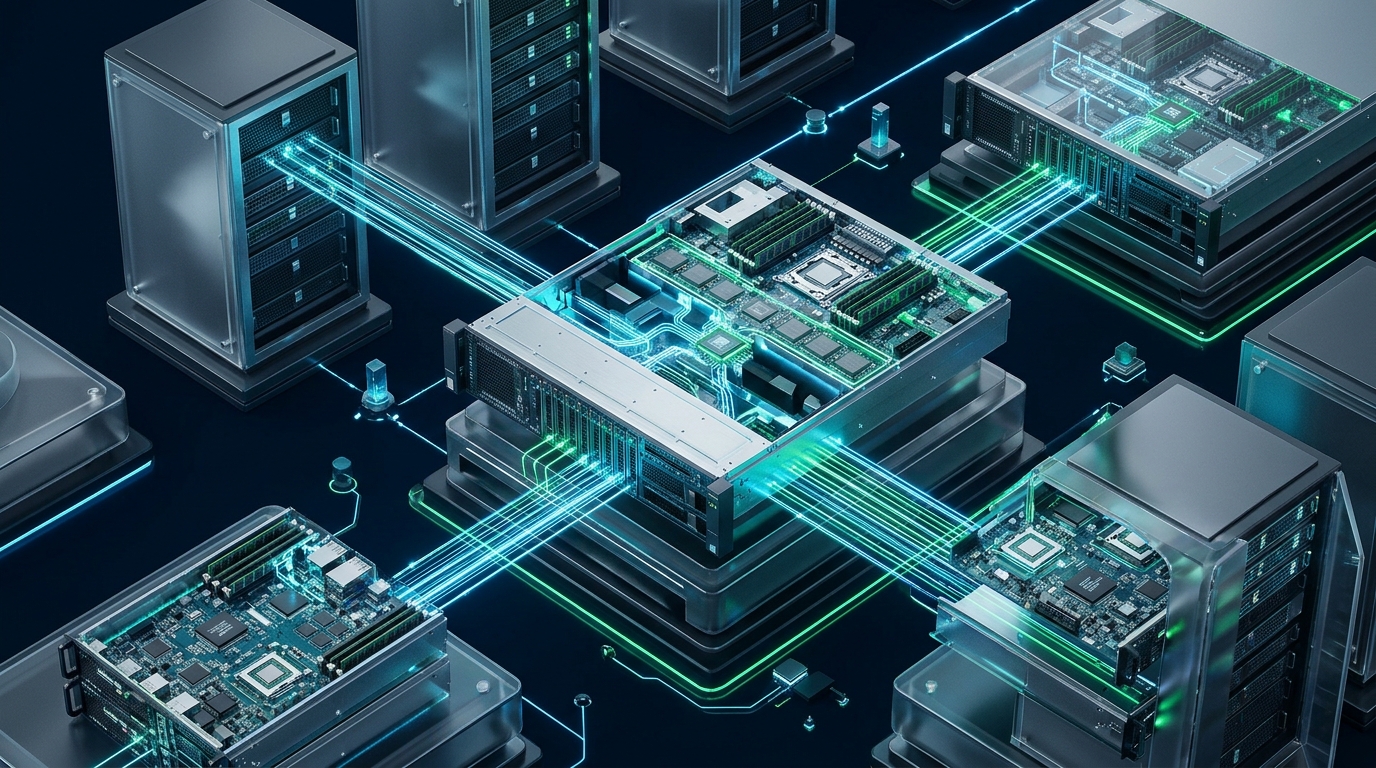
When a kernel panic halts a remote hypervisor or a corrupted network interface config severs SSH connectivity, standard in-band management tools collapse into complete operational blindness. Without direct access to hardware execution rings, recovering mission-critical bare-metal nodes requires physical data center dispatches that drive mean-time-to-recovery (MTTR) through the roof. At MeraHost, our enterprise bare-metal fleet relies on segregated, hardened Out-of-Band (OOB) architecture and Intelligent Platform Management Interface (IPMI) protocols to guarantee zero-downtime recoverability, remote power cycling, and deep hardware telemetry regardless of operating system state.
What is Out-of-Band (OOB) Server Management and IPMI?
Quick Answer: Out-of-Band (OOB) server management via IPMI, modern Baseboard Management Controllers (BMC), and DMTF Redfish enables dedicated hardware-level control physically independent of the primary OS. Administrators can manage power states, redirect serial consoles (SOL), mount virtual media, and capture kernel panics over isolated management networks even when the primary host is powered down or kernel-panicked.
In traditional in-band management, administrators interact with a server through the primary operating system using protocols such as SSH, RDP, or orchestration daemons like SaltStack and Ansible. While effective during standard operation, in-band management creates a single point of failure: any condition that disables the operating system kernel, network stack, or storage controller cuts off all management visibility. Out-of-band management bypasses this limitation by establishing a physically decoupled communication channel running directly on server mainboard silicon.
Architecture Note: Out-of-band management separates the management plane from the data plane at the physical layer. The BMC operates as a complete, independent computer-within-a-computer, powered by auxiliary standby rails (+3.3VSB) that remain active whenever the server’s power supplies are connected to alternating current, even if the primary host chassis is powered off.
The Hardware Engine: Baseboard Management Controllers (BMC)
At the center of out-of-band administration is the Baseboard Management Controller (BMC)—typically an ARM-based SoC such as the ASPEED AST2500 or AST2600. The BMC features its own RAM, flash storage, dedicated network interface controller, and low-level system bus connections directly to critical server subsystems:
- Auxiliary Power Circuit (+3.3VSB / +5VSB): Draws power directly from redundant power distribution units (PDUs), keeping the BMC runtime online 24/7/365 regardless of host CPU power state.
- eSPI and LPC Bus Interfaces: Connects the BMC to the host CPU and Platform Controller Hub (PCH), providing hardware-level keyboard/mouse interception and low-speed peripheral emulation.
- I2C and SMBus Sensor Networks: Interrogates voltage regulator modules (VRMs), fan tachometers, thermal diodes across CPU sockets, and DIMM temperature sensors through the Intelligent Platform Management Bus (IPMB).
- PCIe Direct Connect and Video Graphics: Provides 2D video rendering engines and frame grabbers that stream hardware-level KVM over HTML5 canvases without relying on host GPU drivers.
- Network Interfaces (Dedicated vs. NC-SI): Enterprise deployments demand dedicated physical RJ45/SFP ports for the BMC. Budget motherboards often employ Network Controller Sideband Interface (NC-SI) to share a physical port with the host OS, creating severe security and traffic congestion risks.
Architecture Comparison: In-Band vs. Legacy IPMI vs. Modern Hardened OOB
Understanding the architectural tradeoffs between access layers is essential for designing resilient enterprise infrastructure. The following matrix illustrates key operational characteristics across management paradigms:
| Feature / Metric | In-Band (SSH / Agent) | Legacy IPMI 2.0 (RMCP+) | Tuned Production OOB / Redfish |
|---|---|---|---|
| Control Channel | Host OS IP Stack & Daemons | Dedicated BMC (UDP 623) | Dedicated BMC (HTTPS / TLS 1.3 / gRPC) |
| Availability During Kernel Panic | Zero (Connection Terminated) | 100% Hardware Resiliency | 100% Hardware Resiliency + SOL Dump |
| Authentication Security | SSH Public Keys / MFA / PAM | Cipher Suite 0 / RAKP Flaws | mTLS, OAuth2 / OIDC, RBAC, Cipher Suite 17 |
| Cold Power Cycle Capability | Graceful shutdown only (no power-on) | Chassis Power On/Off/Cycle | Instant Power State, Hard Reset, NMI Trigger |
| Automation Protocol | Ansible, Salt, Puppet, SSH Scripting | ipmitool, FreeIPMI (Raw Hex OEM) | RESTful JSON Redfish API & OpenBMC CLI |
| Remote Console & Boot Media | None (Requires running OS) | Legacy Java / ActiveX Virtual KVM | HTML5 Canvas KVM & ISO Redirection via HTTP |
Configuring Serial-Over-LAN (SOL) for Automated Bare-Metal Recovery
While graphical virtual KVM consoles are convenient for manual interventions, enterprise automation requires lightweight, scriptable, and non-blocking serial redirection. Serial-Over-LAN (SOL) redirects the system UART serial port across the BMC network interface via IPMI RMCP+ encapsulation.
When configured properly, SOL captures early BIOS/UEFI boot stages, GRUB bootloader prompts, initramfs diagnostic dumps, and raw kernel oops messages. This eliminates reliance on bandwidth-heavy graphical streaming and enables automated headless provisioning engines to monitor bare-metal node health.
1. Kernel and GRUB Configuration for Serial Redirection
To enable bidirectional console redirection across both physical display outputs and the BMC virtual serial port (typically mapped to ttyS1 on modern enterprise motherboards like Supermicro, Dell PowerEdge, and HPE ProLiant), deploy the following GRUB configuration file:
# /etc/default/grub.d/99-ipmi-sol.cfg
# Enterprise Serial-Over-LAN (SOL) Console Redirection Configuration

# Enable dual terminal inputs for GRUB interactive menu
GRUB_TERMINAL="console serial"

# Configure COM2/ttyS1 serial port parameters (115200 baud, 8 data bits, no parity, 1 stop bit)
GRUB_SERIAL_COMMAND="serial --unit=1 --speed=115200 --word=8 --parity=no --stop=1"

# Route kernel logging to both local frame buffer (tty0) and BMC serial interface (ttyS1)
# Note: The last specified console parameter becomes /dev/console for init stdout/stderr
GRUB_CMDLINE_LINUX_DEFAULT="earlyprintk=ttyS1,115200 console=tty0 console=ttyS1,115200n8 panic=30 sysrq_always_enabled"
After creating the snippet, update the GRUB binary configuration using your distribution’s bootloader manager:
# Update GRUB on Debian/Ubuntu systems
sudo update-grub

# On RHEL/AlmaLinux/Rocky systems
sudo grub2-mkconfig -o /boot/grub2/grub.cfg
2. Systemd Serial Getty Service Customization
To guarantee a persistent administrative login prompt over the SOL channel without aggressive timeout teardowns, configure a systemd override for the serial getty unit:
# /etc/systemd/system/[email protected]/override.conf
# Production Systemd Serial Getty Override for IPMI SOL

[Service]
# Clear existing ExecStart definition before overriding
ExecStart=
# Launch agetty with 115200 baud, auto-flow control, and vt220 terminal emulation
ExecStart=-/sbin/agetty -o '-p -- \u' --keep-baud 115200,38400,9600 ttyS1 vt220
Restart=always
RestartSec=2s
Reload the systemd daemon and activate the serial service immediately:
sudo systemctl daemon-reload
sudo systemctl enable --now [email protected]
Securing Bare-Metal IPMI: Defeating Cipher 0 and RAKP Attacks
While IPMI is indispensable for systems engineering, misconfigured implementations represent one of the most severe attack surfaces in enterprise computing. Attackers gaining access to an IPMI interface can achieve complete, stealthy hardware persistence below the hypervisor.
Security Advisory: The RAKP Vulnerability: The IPMI 2.0 RMCP+ specification dictates that during the Remote Authenticated Key Exchange Protocol (RAKP), the BMC must return the HMAC hash of the requested user password to the client before verifying authentication. Attackers can request connection tokens for common accounts (e.g.
ADMINorroot), capture the response hash offline, and crack complex passwords using GPU acceleration via Hashcat (mode 7300).
Furthermore, many default firmware implementations support Cipher Suite 0, an insecure specification mode that allows arbitrary clients to establish unauthenticated administrative sessions by simply requesting cipher 0. To secure production bare-metal nodes, adhere to these mandatory hardening guidelines:
3. Automated IPMI Production Hardening Script
Deploy the following hardening script to sanitize the local BMC configuration via the OpenIPMI kernel driver interface (/dev/ipmi0):
#!/usr/bin/env bash
# /usr/local/sbin/harden-ipmi.sh
# Production Bare-Metal BMC Security Hardening Script
set -euo pipefail

CHANNEL="1"

echo "=== Loading IPMI Kernel Modules ==="
modprobe ipmi_msghandler
modprobe ipmi_devintf
modprobe ipmi_si

echo "=== Step 1: Disabling Cipher Suite 0 (Zero Authentication) ==="
# Disable Cipher Suite 0 on LAN channel to prevent authentication bypass
ipmitool lan set "${CHANNEL}" cipher_privs XaXXXXXXXXXXXXX

echo "=== Step 2: Disabling Anonymous / Null User Access ==="
# User ID 1 is reserved for anonymous/null user in IPMI specification
ipmitool user disable 1
ipmitool channel setaccess "${CHANNEL}" 1 callin=off ipmi=off link=off privilege=15

echo "=== Step 3: Hardening Primary Administrator Account ==="
# Enforce strong privileges on administrative user ID 2
ipmitool user enable 2
ipmitool user priv 2 4 "${CHANNEL}" # Privilege level 4 = Administrator
ipmitool channel setaccess "${CHANNEL}" 2 callin=on ipmi=on link=on privilege=4

echo "=== Step 4: Configuring Dedicated Management VLAN ==="
# Enforce 802.1Q VLAN Tagging (e.g., Management VLAN 990)
ipmitool lan set "${CHANNEL}" vlan id 990

echo "=== Step 5: Enabling Hardware Watchdog Timer ==="
# Set watchdog timer to auto-reset host if kernel freezes for > 180 seconds
ipmitool watchdog reset
ipmitool watchdog set action reset
ipmitool watchdog set countdown 180
ipmitool watchdog arm

echo "=== BMC Hardening Complete: Verifying LAN Config ==="
ipmitool lan print "${CHANNEL}"
4. Management Bastion Sysctl Hardening
The management plane must be isolated on an air-gapped or strictly firewalled Out-of-Band management VLAN. Never expose IPMI UDP port 623 or BMC HTTPS endpoints to public or general corporate routing tables. On jump bastions that bridge access into the OOB subnet, enforce rigorous kernel network protections:
# /etc/sysctl.d/99-oob-security.conf
# Kernel Hardening for OOB Management Jump Hosts

# Enforce strict reverse path filtering (prevents IP spoofing on management interfaces)
net.ipv4.conf.all.rp_filter = 1
net.ipv4.conf.default.rp_filter = 1

# Disable IP packet forwarding between production networks and OOB VLAN
net.ipv4.ip_forward = 0
net.ipv6.conf.all.forwarding = 0

# Ignore ICMP redirects to prevent malicious route poisoning
net.ipv4.conf.all.accept_redirects = 0
net.ipv4.conf.default.accept_redirects = 0
net.ipv4.conf.all.send_redirects = 0
net.ipv4.conf.default.send_redirects = 0

# Protect against SYN flood resource exhaustion on management bastions
net.ipv4.tcp_syncookies = 1
net.ipv4.tcp_max_syn_backlog = 4096

# Drop martian source packets with impossible source addresses
net.ipv4.conf.all.log_martians = 1
Apply the sysctl configuration immediately using:
sudo sysctl --system
Automating Remote Fleet Operations via ipmitool and Redfish
Modern DevOps teams manage bare metal using programmatic API pipelines rather than manual web consoles. The industry standard tool for low-level IPMI interaction is ipmitool, while modern infrastructure utilizes DMTF Redfish REST APIs.
Essential ipmitool Commands for Operational Triage
When investigating unreachable or degraded physical hardware, execute the following commands from an authenticated bastion within the management VLAN:
# 1. Query real-time chassis power status
ipmitool -I lanplus -H 10.99.0.42 -U sysadmin -P 'StrongSecretToken' chassis power status

# 2. Issue a cold hardware power cycle (forceful hard reset)
ipmitool -I lanplus -H 10.99.0.42 -U sysadmin -P 'StrongSecretToken' chassis power cycle

# 3. Override next boot device to PXE Network Boot (for automated OS reinstall)
ipmitool -I lanplus -H 10.99.0.42 -U sysadmin -P 'StrongSecretToken' chassis bootdev pxe

# 4. Stream real-time Serial-Over-LAN (SOL) console session
ipmitool -I lanplus -H 10.99.0.42 -U sysadmin -P 'StrongSecretToken' sol activate

# 5. Extract System Event Log (SEL) hardware error entries
ipmitool -I lanplus -H 10.99.0.42 -U sysadmin -P 'StrongSecretToken' sel elist
DMTF Redfish REST API Automation
Modern platforms like Dell iDRAC9, HPE iLO 5/6, Supermicro X12/H12, and OpenBMC expose Redfish endpoints conforming to JSON schemas. For instance, triggering a graceful chassis reboot via Redfish requires a single authenticated HTTP POST:
# Redfish Graceful Power Restart using curl and JSON payload
curl -k -s -u sysadmin:'StrongSecretToken' \
  -X POST "https://10.99.0.42/redfish/v1/Systems/1/Actions/ComputerSystem.Reset" \
  -H "Content-Type: application/json" \
  -d '{"ResetType": "GracefulRestart"}' | jq .
Why Enterprise Hosting Demands Resilient Out-of-Band Architecture
When running mission-critical database clusters, high-frequency trading applications, or multi-tenant virtualization clusters, physical hardware failures will occur. Hard drive backplanes degrade, thermal throttling triggers kernel lockups, and bad kernel patches sever routing tables.
Organizations that compromise on bare-metal hardware resilience face catastrophic downtime while awaiting physical intervention. Choosing a hosting provider with native enterprise infrastructure, hardened out-of-band management protocols, and ultra-fast NVMe storage eliminates this operational risk. For organizations seeking production resilience, high IOPS, and predictable economics without arbitrary price increases, MeraHost Enterprise Cloud provides fully managed infrastructure engineered to withstand hardware shocks while delivering unbeatable reliability.
Frequently Asked Questions (FAQ)
What is the primary difference between IPMI, iDRAC, iLO, and Redfish?
IPMI (Intelligent Platform Management Interface) is the foundational open standard established in 1998 that defines how Baseboard Management Controllers monitor hardware and manage power. Dell iDRAC (Integrated Dell Remote Access Controller) and HPE iLO (Integrated Lights-Out) are proprietary, vendor-specific BMC implementations built on top of IPMI that include advanced enterprise graphical interfaces, lifecycle controllers, and virtual media. Redfish is the modern RESTful API standard developed by the DMTF to replace legacy IPMI protocols with secure, JSON-based management over HTTPS.
Why is IPMI Cipher Suite 0 considered a critical vulnerability?
Cipher Suite 0 is defined in the IPMI 2.0 specification as an unauthenticated, unencrypted session mode. When enabled, any remote network client can send RMCP+ packets requesting Cipher 0 and bypass user authentication entirely, gaining administrative control of the chassis without entering a valid password. It must be disabled across all LAN channels using ipmitool lan set <channel> cipher_privs.
How does Serial-Over-LAN (SOL) capture kernel panics when primary network cards fail?
Serial-Over-LAN operates independently of the host operating system’s network stack. The Linux kernel prints console messages directly to the physical UART port (ttyS0/ttyS1) via I/O port instructions or memory-mapped I/O. The BMC microcontroller intercepts this UART serial stream at the hardware bus layer, buffers the character stream in BMC memory, and encapsulates it inside IPMI RMCP+ packets transmitted over the dedicated OOB management NIC. Even if all host PCIe network cards crash or lock up, the SOL stream continues uninterrupted.
Can an attacker pivot from a compromised host OS directly into the BMC?
Yes, through the Keyboard Controller Style (KCS) interface or the System Management Interface (SMI). When an attacker obtains root privileges on the host OS, they can interact with the local OpenIPMI driver (/dev/ipmi0) to reflash BMC firmware, extract saved administrator passwords, or reconfigure management network settings. To defend against host-to-BMC compromise, enterprise platforms implement secure boot on the BMC microcontroller, enforce cryptographically signed firmware verification, and lock the KCS interface once the operating system boots.
Deploy Enterprise-Grade Production Infrastructure
Need guaranteed performance with zero price hikes? Host mission-critical workloads on MeraHost with pure Enterprise NVMe, LiteSpeed Web Server, and Same Renewal Price, Always (starting at ₹99/mo).