
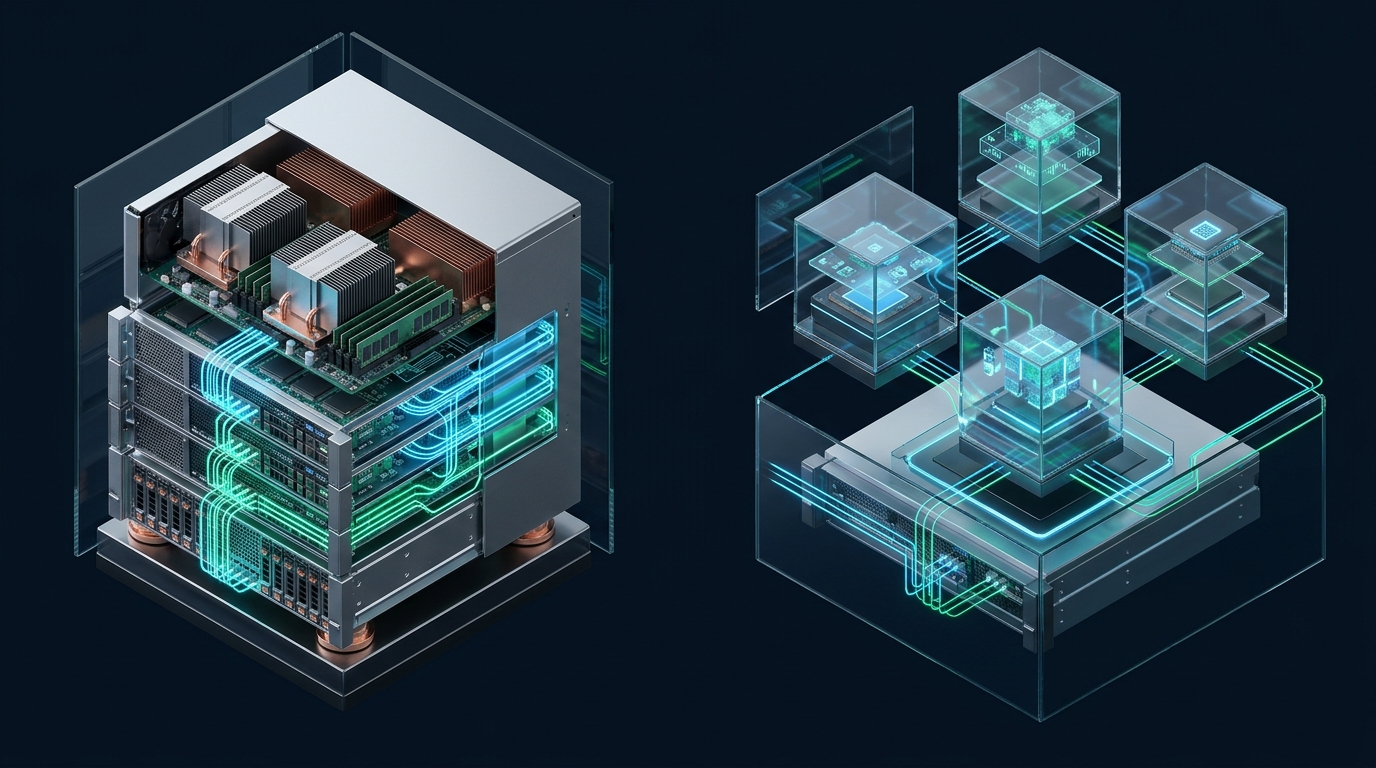
Scaling mission-critical enterprise workloads demands a calculated architectural decision between virtualized cloud infrastructure and single-tenant physical execution. While cloud virtual private servers (VPS) deliver unmatched provisioning velocity and elastic horizontal scaling, hypervisor contention, shared bus pipelines, and noisy-neighbor phenomena introduce unpredictable tail latency across high-throughput transactional databases. Infrastructure teams building resilient, cost-predictable platforms with partners like MeraHost must rigorously analyze the performance, control, and total cost of ownership (TCO) trade-offs between dedicated bare-metal servers and cloud VPS instances before committing their production architecture.
Direct Architecture Comparison: Bare-Metal Dedicated Server vs Cloud VPS
Direct Answer: A bare-metal dedicated server provides exclusive single-tenant physical hardware, eliminating hypervisor overhead and noisy-neighbor latency for predictable maximum CPU and NVMe I/O performance. A cloud VPS partitions physical hardware into multi-tenant virtual machines, trading fractional raw performance for rapid provisioning, dynamic scaling, and lower entry costs.
Comprehensive Architectural Comparison Matrix
When evaluating infrastructure for enterprise database engines, monolithic backends, and container orchestrators, the differences between direct silicon execution and hypervisor abstraction become readily evident across critical system metrics:
| Architectural Metric | Cloud VPS (Virtualized) | Bare-Metal Dedicated Server |
|---|---|---|
| Tenancy Model | Multi-tenant (shared hypervisor & physical bus) | Single-tenant (100% dedicated hardware & memory channels) |
| CPU Overhead & Steal Time | 3% to 12% virtualization tax; variable %steal under noisy neighbors | 0% virtualization overhead; absolute zero CPU steal time |
| Storage I/O & IOPS Saturation | VirtIO block device / throttled IOPS pools (10,000–60,000 IOPS) | Direct PCIe Gen4/Gen5 NVMe channels (800,000–1,500,000+ IOPS) |
| Storage Flush Latency (fsync) | 180μs to 1,200μs (barrier flushes through hypervisor stack) | 12μs to 28μs (direct NVMe controller command queue) |
| Memory Architecture & NUMA | vNUMA emulation; memory ballooning & dynamic page compaction | Native DDR5 ECC multi-channel; strict physical NUMA pinning |
| Kernel & Driver Control | Restricted to hypervisor-compatible drivers & synthetic devices | Full UEFI/BIOS access, custom kernel modules, DPDK & SR-IOV |
| Network Jitter & Packet Processing | Software bridge / virtual switch with microsecond packet variance | Direct 10Gbps/25Gbps line-rate NICs with deterministic low latency |
| Scaling Velocity & Provisioning | Sub-minute API spin-up, instant snapshots & clone trees | Automated PXE/IPMI provisioning (5–15 minutes) |
| Cost Model at Sustained Load | Metered per-vCPU/RAM; expensive provisioned IOPS & egress fees | Flat predictable monthly OPEX; lowest cost per compute/IOPS unit |
The Virtualization Tax: Hypervisor Mechanics, CPU Scheduling, and Steal Time
At the center of the bare-metal versus virtualized cloud debate lies the hypervisor tax. In a virtualized cloud VPS environment, whether powered by KVM (Kernel-based Virtual Machine), Xen, or VMware ESXi, guest operating systems do not interface directly with the physical CPU. Instead, physical hardware operates in Ring -1 (VMX root operation on Intel or SVM on AMD), while guest kernels execute inside Ring 0 under virtualized non-root operation.
Whenever a virtual machine executes sensitive instructions—such as managing hardware interrupt flags, updating page table base registers (CR3), or executing privileged I/O instructions—a VM Exit is triggered. The physical CPU suspends guest virtual machine execution, saves registers into the Virtual Machine Control Structure (VMCS), switches context to the host hypervisor, processes the request, and performs a VM Entry to resume the guest. Under low-load microbenchmarks, this context switch consumes just a few hundred processor cycles. However, during heavy concurrency, continuous VM exits generate massive cache line eviction across the L1 Instruction and L2 Data caches.
Architecture Note: In multi-tenant cloud environments, CPU steal time (represented as %steal in Linux performance tools like top, sar, and vmstat) measures the percentage of real CPU time the hypervisor withheld from your guest kernel while serving adjacent tenants. A %steal figure above 1.5% routinely induces 99th percentile query latency spikes in database clusters. On a bare-metal dedicated server, %steal is mathematically impossible and strictly zero.
In contrast, bare-metal servers eliminate the intermediate Virtual Machine Monitor entirely. The Linux kernel communicates directly with processor registers, scheduling execution threads across bare cores without abstraction penalties. Hardware performance counters (PMC), Translation Lookaside Buffers (TLB), and branch predictors function with uninterrupted locality, providing 100% deterministic latency profiles required by enterprise transaction engines and real-time processing pipelines.
Memory Subsystem and NUMA Topology: Physical Pinning vs Virtual Allocation
Enterprise compute nodes—such as modern AMD EPYC 9004/9654 processors or Intel Xeon Emerald Rapids platforms—rely on Non-Uniform Memory Access (NUMA). In these architectures, physical cores belong to specific NUMA nodes directly connected to dedicated DDR5 memory channels. Accessing local memory on the identical socket takes approximately 75 to 85 nanoseconds. Crossing the inter-socket interconnect (AMD Infinity Fabric or Intel Ultra Path Interconnect) to access remote socket memory introduces 130 to 160 nanoseconds of latency—a near 100% performance degradation for memory-bound queries.
On a dedicated bare-metal server, infrastructure engineers possess complete control over NUMA architecture. Using utilities like numactl, Linux cgroups v2, and systemd service overrides, you can bind memory-heavy relational database processes (such as PostgreSQL, MySQL, or ClickHouse) directly to specific physical NUMA nodes, ensuring zero remote memory hops. Furthermore, bare-metal servers allow you to allocate static 2MB or 1GB HugePages directly at boot time, reducing page table overhead and eliminating Translation Lookaside Buffer thrashing.
In a cloud VPS, the hypervisor abstracts this underlying physical reality. Unless purchasing expensive specialized high-memory instances with dedicated vNUMA topology, memory allocations may silently span multiple physical sockets. Even worse, many multi-tenant VPS providers utilize memory ballooning (via virtio-balloon) and Kernel Samepage Merging (KSM) to overcommit RAM across multiple tenants. When an adjacent tenant spikes its memory footprint, the host hypervisor may trigger background memory compaction and page migration, degrading your memory access latency without warning.
Storage I/O Subsystem: VirtIO Block Devices vs Direct PCIe NVMe Channels
Storage I/O represents the single greatest performance divergence between cloud VPS instances and bare-metal servers. Database throughput, indexing, write-ahead logging (WAL), and ACID transaction guarantees are strictly constrained by storage subsystem latency and queue depth handling.
In a standard cloud VPS, storage is accessed either through network-attached block devices (such as Ceph, GlusterFS, or proprietary SAN clusters) or virtualized local disks exposed through the virtio-blk or virtio-scsi drivers. When a database issues a write operation, the payload must navigate multiple layers of software indirection:
- The guest Linux kernel processes the block request through its virtual block I/O scheduler.
- The VirtIO driver signals a hypervisor doorbell via a VM Exit.
- The host QEMU/KVM worker thread retrieves the request from the shared VirtQueue buffer.
- The request traverses the host storage stack, software storage fabric, and network encapsulation (in network block storage).
- The underlying physical storage device receives the command, executes the write, and returns an acknowledgment through the reverse stack.
Architecture Note: When database management systems issue
fsync()orfdatasync()system calls to guarantee write durability, virtual storage subsystems must serialize and flush cache barriers across the entire hypervisor and network storage chain. On a dedicated bare-metal server equipped with enterprise NVMe drives, an fsync completes in 12 to 25 microseconds directly at the PCIe controller, delivering up to 30x faster transaction commit rates.
A bare-metal server links enterprise PCIe Gen4 or Gen5 NVMe solid-state drives directly to processor PCIe lanes. Each NVMe drive supports up to 64,000 independent command queues, with each queue handling up to 64,000 concurrent commands. There are no virtual interrupt translations, no rate-limiting storage token buckets, and no noisy neighbors saturating the underlying storage controller.
Network Throughput, Kernel Bypass, and Jitter Elimination
Network virtualization in cloud VPS platforms relies on software-defined networking (SDN) overlays, Open vSwitch (OVS), and virtual TAP interfaces. Every incoming network frame must be inspected, filtered through virtual firewall tables, encapsulated (via VXLAN or Geneve), and injected into the guest OS via virtual interrupts. During traffic bursts, software interrupt handlers (ksoftirqd) inside virtualized guests frequently experience CPU saturation, dropping packets and increasing TCP round-trip time (RTT) jitter.
On bare-metal dedicated servers, network traffic traverses dedicated physical network interface cards (NICs), such as Intel E810 or Mellanox ConnectX-6 controllers. Systems administrators can configure:
- Hardware Receive Side Scaling (RSS): Automatically distributes incoming TCP/UDP network flows across discrete CPU cores in hardware.
- Single Root I/O Virtualization (SR-IOV): Partition physical NICs into hardware virtual functions with direct DMA access.
- Kernel-Bypass Architectures: Implement Data Plane Development Kit (DPDK) or eXpress Data Path (XDP) with eBPF to process millions of packets per second directly in user space without kernel context switching.
- Jumbo Frames & LRO/TSO Offload: Offload Large Receive Offload (LRO) and TCP Segmentation Offload (TSO) directly to the network ASIC, achieving sustained 10Gbps or 25Gbps line-rate transfers with near-zero CPU load.
Production-Grade Linux Kernel & Systemd Tuning Configurations
To extract maximum performance from high-throughput infrastructure, systems engineers must tune Linux kernel parameters and configure process isolation to avoid memory starvation, connection drops, and suboptimal CPU scheduling. Below are two production-ready configuration files tested on enterprise workloads.
1. Enterprise Linux Performance Sysctl: /etc/sysctl.d/99-enterprise-infrastructure.conf
Apply these tuned kernel parameters to optimize memory flushing thresholds, expand file handle ceilings, and configure high-performance TCP socket buffers:
# ====================================================================
# Enterprise Infrastructure Optimization: sysctl.d/99-enterprise-infrastructure.conf
# Designed for high-throughput production workloads, databases, & low-latency web nodes
# ====================================================================

# --- Virtual Memory (VM) Subsystem Tuning ---
# Reduce swapping aggression; retain active database pages in physical RAM
vm.swappiness = 10

# Trigger background writeback when dirty pages exceed 5% of memory
vm.dirty_background_ratio = 5

# Force synchronous writeback throttling at 15% dirty pages to prevent flush stalls
vm.dirty_ratio = 15

# Balance VFS directory/inode cache retention with page cache
vm.vfs_cache_pressure = 50

# Ensure sufficient min free kbytes to prevent allocation deadlocks under sudden traffic spikes
vm.min_free_kbytes = 1048576

# --- File Descriptor & IPC Capacity ---
# Expand global file descriptor ceiling to support high-concurrency connections
fs.file-max = 2097152

# Increase inotify user instances and watches for containerized environments
fs.inotify.max_user_watches = 524288
fs.inotify.max_user_instances = 8192

# --- High-Throughput Network Core & Socket Buffers ---
# Maximum socket backlog queue for pending listener connections
net.core.somaxconn = 65535

# Maximum number of incoming packets queued in the network device backlog
net.core.netdev_max_backlog = 16384

# Maximum TCP socket read and write buffer sizes (16MB each)
net.core.rmem_max = 16777216
net.core.wmem_max = 16777216

# Minimum, default, and maximum TCP read/write memory thresholds (bytes)
net.ipv4.tcp_rmem = 4096 87380 16777216
net.ipv4.tcp_wmem = 4096 65536 16777216

# Enable BBR congestion control and Fair Queueing packet scheduler
net.core.default_qdisc = fq
net.ipv4.tcp_congestion_control = bbr

# --- TCP Connection Lifecycle & Security ---
# Enable rapid reuse of TIME_WAIT sockets for high-frequency internal microservices
net.ipv4.tcp_tw_reuse = 1
net.ipv4.tcp_fin_timeout = 15

# Maximum queued SYN requests before dropping handshakes
net.ipv4.tcp_max_syn_backlog = 8192
net.ipv4.tcp_syncookies = 1

# Disable TCP slow start after idle to maintain full transmission window on persistent connections
net.ipv4.tcp_slow_start_after_idle = 0
Load and activate these sysctl directives immediately on your Linux node by running sudo sysctl --system.
2. Systemd Process Isolation & CPU Affinity Override: /etc/systemd/system/production-database.service.d/override.conf
To prevent operating system background tasks from competing with your core database engine, deploy a systemd drop-in override that isolates CPU cores, binds memory strictly to a single NUMA domain, and raises process file limits:
# ====================================================================
# Systemd Service Drop-In: /etc/systemd/system/production-database.service.d/override.conf
# Isolates critical database workloads (PostgreSQL/MySQL) to dedicated physical cores & NUMA node
# ====================================================================
[Service]
# Pin execution to physical CPU cores 0 through 15 (Node 0)
CPUAffinity=0-15

# Strictly allocate physical memory from NUMA Node 0 (zero interconnect traversal)
NUMAPolicy=bind
NUMAMask=0

# Maximize open file descriptors and concurrent socket ceilings
LimitNOFILE=1048576

# Allow memory locking to keep database shared buffers pinned in physical RAM
LimitMEMLOCK=infinity

# Unrestricted task/thread creation
TasksMax=infinity

# Prioritize process CPU scheduling over background maintenance jobs
Nice=-10

# Immunize critical database process against Linux kernel Out-Of-Memory (OOM) killer
OOMScoreAdjust=-500
Apply the override by executing sudo systemctl daemon-reload && sudo systemctl restart production-database.
Total Cost of Ownership (TCO) & The Workload Crossover Threshold
When evaluating the financial comparison between dedicated bare-metal servers and cloud VPS instances, organizations often succumb to the illusion of cloud elasticity. While a cloud VPS offers low entry barriers ($5 to $50/month) for dev/test environments and small applications, public cloud pricing models become disproportionately expensive as resource utilization scales continuously.
Public cloud hyperscalers monetize three separate architectural levers:
- Compute and Memory Markup: Dedicated vCPU instances with high RAM ratios carry steep hourly rates that compound over 24/7 operating cycles.
- Provisioned IOPS Penalties: Baseline cloud block storage throttles IOPS to modest thresholds (typically 3,000 IOPS). Unlocking enterprise NVMe speeds (50,000+ IOPS) requires paying substantial monthly IOPS provisioning premiums ($0.065 to $0.10 per provisioned IOPS per month).
- Data Egress and Inter-AZ Surcharges: Public cloud providers charge $0.08 to $0.12 per gigabyte for outbound internet egress and $0.01 to $0.02 per gigabyte for traffic crossing availability zones. For high-traffic platforms transmitting 50TB of monthly data, egress fees alone often surpass the total server compute cost.
Dedicated bare-metal servers, by contrast, operate under a fixed capital or operational expense model. A modern single or dual-socket bare-metal server equipped with 64 physical cores, 256GB ECC DDR5 RAM, enterprise NVMe storage in hardware RAID, and an unmetered 1Gbps or 10Gbps uplink delivers raw compute capacity at 60% to 80% lower cost compared to equivalently sized hyperscaler virtual instances running 24/7.
For production teams migrating away from unpredictable hyperscaler billing while requiring true enterprise NVMe speed and LiteSpeed acceleration, platforms like MeraHost Enterprise Cloud provide guaranteed resource allocations with a permanent Same Renewal Price commitment, ensuring zero renewal price hikes since 2012.
Strategic Decision Framework: Matching Workload to Infrastructure
Rather than treating the choice between bare-metal dedicated servers and cloud VPS as binary, progressive enterprise engineering teams employ a workload-aware tiered architecture:
Deploy Cloud VPS When:
- Horizontal Web & API Scaling: Front-facing stateless application tiers (Node.js, Go, Python microservices) that dynamically scale based on HTTP concurrency.
- Ephemeral CI/CD & Staging: Temporary testing pipelines, feature branch validation, and developer sandbox environments where rapid provisioning and teardown are mandatory.
- Early-Stage Startups & Prototyping: Initial MVP launches where traffic patterns are uncertain, minimizing upfront operational overhead.
Deploy Bare-Metal Dedicated Servers When:
- Primary Relational & Columnar Databases: High-concurrency PostgreSQL, MySQL, ClickHouse, and CockroachDB clusters demanding predictable sub-millisecond query execution and sustained fsync throughput.
- Distributed Event Streaming: High-throughput Apache Kafka, RabbitMQ, and Apache Pulsar clusters processing gigabytes per second with zero network interrupt jitter.
- In-Memory Cache & Search Nodes: Large-scale Redis, DragonFly, and Elasticsearch/OpenSearch clusters requiring massive physical RAM pinning and zero memory ballooning.
- Private Virtualization & Multi-Tenant Platforms: Running your own hypervisor cluster (such as Proxmox VE, OpenNebula, or bare-metal Kubernetes) to achieve maximum hardware density and control over tenant allocation.
- Predictable 24/7 Compute Utilization: Any steady-state production workload running continuously where predictable TCO and flat-rate operational budgeting are non-negotiable.
Frequently Asked Questions
Can you run virtualization or containers on a bare-metal dedicated server?
Yes, absolutely. A dedicated bare-metal server gives you unconstrained access to CPU hardware virtualization extensions (Intel VT-x / AMD-V). You can deploy lightweight container runtimes like Docker, Podman, and Kubernetes (K8s) directly on the host OS for near-zero overhead, or install hypervisors like Proxmox VE, KVM, or VMware ESXi to build your own private cloud cluster with total control over tenant density and resource allocation.
How does CPU steal time in a Cloud VPS impact database performance?
CPU steal time occurs when the hypervisor deprives your virtual CPU of physical clock cycles because neighboring virtual machines on the same physical server are contending for compute resources. In database systems like PostgreSQL or MySQL, this causes transaction locks and write-ahead log (WAL) flushes to stall intermittently. Even a brief 2% CPU steal spike can trigger massive queueing bottlenecks and escalate p99 query latency from milliseconds to several seconds.
What is the TCO crossover point where dedicated bare-metal becomes cheaper than cloud VPS?
The financial crossover point typically occurs when a workload operates 24/7 and requires more than 8 to 16 vCPUs, 32GB to 64GB of RAM, and more than 10,000 sustained IOPS or 5TB+ of outbound data transfer. At or beyond this threshold, public cloud VPS instances, provisioned IOPS add-ons, and outbound bandwidth egress charges compound rapidly. A bare-metal dedicated server delivers 3x to 5x more compute and storage throughput per dollar with completely predictable flat-rate monthly billing.
How does bare-metal hardware failure recovery compare to cloud VPS automated failover?
Cloud VPS platforms benefit from hypervisor-managed high availability, automatically rebooting a virtual instance on an alternate host node if physical host hardware fails. On bare-metal servers, physical component failures require out-of-band management (IPMI/BMC) and data center technician intervention. Enterprise architectures solve this by building redundancy at the application layer—such as PostgreSQL streaming replication with Patroni or active-active load-balanced clusters across multiple physical nodes.
Deploy Enterprise-Grade Production Infrastructure
Need guaranteed performance with zero price hikes? Host mission-critical workloads on MeraHost with pure Enterprise NVMe, LiteSpeed Web Server, and Same Renewal Price, Always (starting at ₹99/mo).