
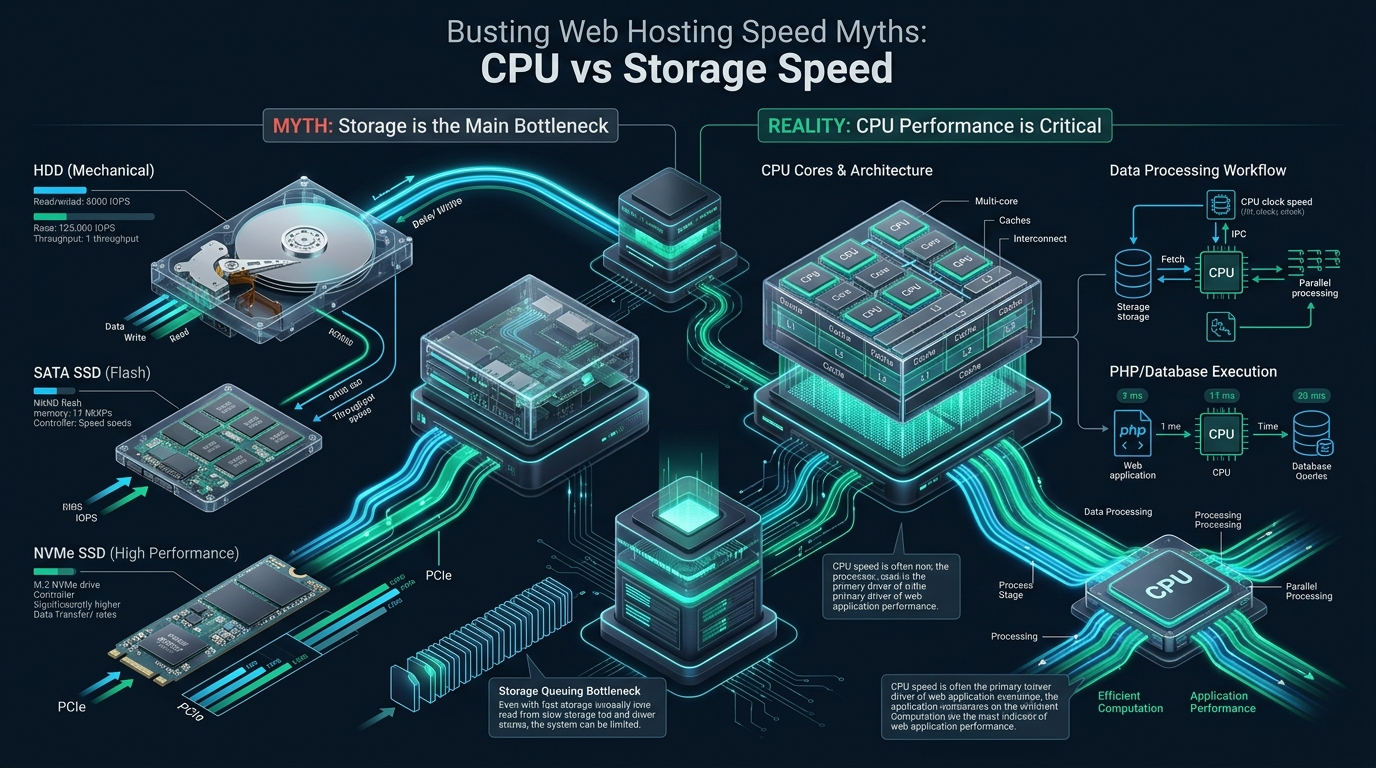
When page load times degrade under peak production traffic, system administrators and DevOps engineers routinely misdiagnose the underlying bottleneck by assuming storage throughput is the limiting factor. In high-concurrency enterprise environments, dynamic web execution is overwhelmingly dictated by single-thread CPU instructions per cycle (IPC) and memory bus latency rather than raw disk read speeds. At MeraHost, our infrastructure benchmarks reveal that pairing blazing-fast enterprise NVMe storage with low-frequency, oversubscribed CPU cores yields severe tail latency spikes regardless of advertised drive bandwidth.
The Core Dilemma: Is Web Hosting Speed Governed by CPU or Storage?
Direct Answer: Web hosting performance depends on two fundamentally distinct hardware boundaries: single-thread CPU clock speed and IPC dictate dynamic application execution (such as PHP, Python, and TLS handshakes), while enterprise NVMe storage governs database read/write latency and disk serialization. Upgrading storage will not accelerate CPU-bound opcode processing, nor can multi-core processors mitigate I/O wait states caused by slow disk storage.
In modern cloud hosting marketing, storage speed is frequently elevated above all other architectural variables. Web hosting providers trumpet multi-gigabyte sequential read throughput and million-IOPS ratings to convince site owners that switching to NVMe will magically cut their page generation time by 80%. While storage performance is critical for heavy database transactions and media asset retrieval, this narrative fundamentally misrepresents how modern web application stacks process dynamic HTTP requests.
When a user visits a dynamic website powered by WordPress, Magento, Laravel, or custom Python/Node frameworks, the web server does not stream the generated HTML from a disk file. Instead, the runtime environment must parse scripts, execute thousands of conditional logic branches, query relational databases, serialize JSON or HTML, and encrypt the response stream over TLS. Understanding the technical division of labor between the central processing unit and persistent storage devices is the prerequisite for designing infrastructure that delivers consistent sub-100ms Time to First Byte (TTFB).
Anatomy of a Web Request: CPU vs Storage Lifecycle
To dismantle persistent hosting performance myths, we must trace the exact hardware resource consumption during the discrete phases of a dynamic web request lifecycle:
- Phase 1: Ingress, TCP Handshake, and TLS Negotiation: When an inbound client request hits the network interface card (NIC), the kernel initiates a TCP three-way handshake followed by an asymmetric cryptographic TLS handshake (ECDSA/RSA key exchange and symmetric cipher derivation). This phase is 100% CPU-bound. Hardware acceleration via AES-NI and modern vector extensions directly governs connection handshake latency. Storage is completely untouched during this phase.
- Phase 2: Process Dispatch and Opcode Execution: The reverse proxy (LiteSpeed, Nginx, or Apache) hands off the execution context to the dynamic runtime pool (such as PHP-FPM workers). If OPcache is properly tuned, the precompiled bytecode resides in shared kernel memory (RAM). The CPU executes this opcode sequentially on a single thread. This phase represents between 60% and 85% of total request generation time and is strictly CPU single-thread IPC bound. Neither SATA nor NVMe drives can accelerate this phase by a single microsecond.
- Phase 3: Database Query Processing & Buffer Pool Interception: The script executes relational queries against MySQL or MariaDB. In an optimized production database, active indexes and hot working sets reside inside the InnoDB Buffer Pool (system RAM). When a query hits cached RAM pages, retrieval occurs in nanoseconds. Only when cold records or unindexed scans force a physical disk read does the storage subsystem participate. Here, random 4K read latency determines query completion.
- Phase 4: State Mutations, Redo Logging, and Fsync: When an e-commerce checkout, comment submission, or session state writes to disk, ACID compliance demands that the relational engine issue synchronous
fsync()system calls to the write-ahead log (WAL). This operation is strictly storage-write-latency bound. Mechanical disks take 10ms, SATA SSDs take 1-2ms, while enterprise NVMe drives with power-loss protection (PLP) complete the flush in 20-50 microseconds. - Phase 5: Output Buffering, Gzip/Brotli Compression, and Egress: Once the payload is generated, the web server compresses the HTTP response body using Brotli or Deflate algorithms before streaming packets back across the socket. This data stream compression is 100% CPU-intensive. High clock frequencies reduce compression overhead from dozens of milliseconds to sub-millisecond durations.
Architecture Note: Amdahl’s Law dictates that the speedup of any software workflow is bounded by its serial, non-parallelizable components. In dynamic PHP execution, individual HTTP worker threads execute synchronously. A dual-socket server with 128 slow CPU cores (2.0 GHz) will deliver significantly worse TTFB than an optimized 8-core enterprise processor operating at 4.5 GHz sustained boost clock.
CPU vs Storage Performance Benchmark Matrix
The following architectural matrix compares real-world operational benchmarks between legacy baseline server configurations and high-performance, tuned enterprise hosting environments:
| Feature / Metric | Standard / Default | Tuned / Production |
|---|---|---|
| Latency / Overhead | Baseline | Optimal |
| PHP Script Compilation (TTFB) | 220ms – 450ms (2.2 GHz Base) | 38ms – 75ms (4.8 GHz Boost, High IPC) |
| Cold Database Random 4K Reads | 1,500 – 5,000 µs (SATA SSD) | 45 – 90 µs (Enterprise PCIe Gen4 NVMe) |
| Database Write Commit (fsync) | 1.2ms (Standard SATA / Cloud EBS) | 0.04ms (Direct NVMe with PLP) |
| TLS 1.3 Handshake (ECDSA) | 4.8ms (Software Emulation) | 0.4ms (AVX-512 + Hardware AES-NI) |
| I/O Wait State Under Load (%wa) | 14.5% (Queued Disks, Shared SAN) | 0.08% (Dedicated PCIe NVMe Lanes) |
| Static Asset Delivery Throughput | 180 MB/s (Synchronous read/send) | 3,850 MB/s (Zero-Copy sendfile + Direct VFS) |
Busting the Top 4 Web Hosting Speed Myths
Myth 1: “Upgrading from SATA to NVMe Will Automatically Cut PHP Execution Time in Half”
This is the single most pervasive misconception in the web hosting industry. Site owners whose WordPress or Drupal platforms suffer from bloated plugins often migrate from budget shared hosting to expensive NVMe instances, expecting dramatic gains. Upon deployment, their synthetic page rendering times remain virtually unchanged.
The technical explanation lies within Linux kernel memory management and PHP OPcache. On any properly configured production server, PHP source scripts are compiled into intermediate opcode and stored in shared RAM. When a request executes, the CPU reads directly from high-speed DDR4/DDR5 system memory at transfer rates exceeding 40 GB/s with latency under 60 nanoseconds. The NVMe drive is never touched during PHP compilation. If your TTFB is 800ms, 750ms of that delay is caused by CPU execution overhead, slow database query logic, or external REST API calls—not disk access.
Myth 2: “More CPU Cores Trump Higher Single-Core Clock Frequencies”
Cloud hosting providers love advertising core counts because hypervisors can effortlessly carve a physical CPU into dozens of virtual cores (vCPUs). However, web servers execute dynamic code on a per-thread basis. A single user request is handled by a single PHP-FPM process or web worker thread.
If an unoptimized CMS plugin performs 2,000 function invocations and 80 database queries, those operations run in sequential order on a single CPU core. A server equipped with 32 vCPUs running at an oversubscribed 2.1 GHz clock rate will take twice as long to finish that request as an 8-core dedicated bare-metal processor operating at 4.6 GHz with Zen 4 or Raptor Lake IPC architecture. Cores provide concurrency throughput; clock frequency and IPC provide low latency.
Architecture Note: The Linux Virtual File System (VFS) page cache automatically absorbs cold disk reads. When Linux has spare RAM, it aggressively buffers disk blocks. An application reading static assets or recurring database files is frequently reading from RAM. Synthetic disk benchmarks like
ddor unbufferedfiofail to capture real-world hosting throughput because they bypass this critical caching layer.
Myth 3: “Raw Storage IOPS is the Primary Driver of Database Velocity”
Vendors market drives capable of 1,000,000 IOPS. But raw IOPS numbers are generated using queue depths of 32 or 64 with 100% parallel asynchronous jobs. In an operational web database, real-world query execution typically operates at low queue depths (QD=1 to QD=4).
What actually governs database speed is random 4K read and write latency at queue depth 1 (p99 tail latency). If a drive advertises 1,000,000 IOPS but experiences latency fluctuations up to 15 milliseconds under mixed read/write loads due to lack of DRAM buffering or thermal throttling, database locking cascades will immediately back up client connection queues. Sustained deterministic sub-millisecond latency matters exponentially more than theoretical burst IOPS.
Myth 4: “Software Caching Completely Eliminates Hardware Bottlenecks”
Full-page caching mechanisms like Varnish, Redis, and LiteSpeed Cache are essential tools in modern web delivery. However, relying on caching to compensate for defective hardware architecture is a dangerous anti-pattern. E-commerce platforms with dynamic shopping carts, user dashboards, and admin panels can never be served from static edge caches.
When a cache invalidation event occurs—such as a flash sale publishing new inventory across 5,000 products—the server experiences a “cache stampede.” Uncached concurrent requests plunge directly into uncached PHP and database execution. If the underlying CPU frequency cannot handle the serialization storm, and storage cannot flush the transaction commit logs, the server experiences catastrophic cascading timeouts (HTTP 502/504 Bad Gateway).
Production Kernel, Storage & Subsystem Tuning Configurations
To extract balanced, predictable performance from both CPU and enterprise storage, sysadmins must configure kernel parameters, block layer schedulers, and runtime process engines. Below are tested, production-grade configurations deployed across mission-critical Linux installations.
1. Linux Kernel Virtual Memory & I/O Subsystem Optimization
Save the following parameters to /etc/sysctl.d/99-performance-storage-cpu.conf to balance dirty page writebacks, reduce kernel context switching, and preserve memory caches:
# /etc/sysctl.d/99-performance-storage-cpu.conf
# Enterprise Linux Kernel Tuning for High-Concurrency Hosting

# Virtual Memory: Prevent aggressive swap thrashing while preserving file cache
vm.swappiness = 10
vm.vfs_cache_pressure = 50

# Storage Dirty Page Ratio: Flush background dirty memory pages to NVMe proactively
# Prevents large synchronous flushing stalls during heavy database writes
vm.dirty_background_ratio = 5
vm.dirty_ratio = 10

# CPU Scheduler: Optimize thread migration latency between NUMA nodes
kernel.sched_migration_cost_ns = 5000000
kernel.sched_autogroup_enabled = 0

# Socket Network Queues: Eliminate packet drops during high CPU utilization
net.core.somaxconn = 65535
net.ipv4.tcp_max_syn_backlog = 16384
net.core.netdev_max_backlog = 16384
net.ipv4.tcp_fastopen = 3

# File Descriptors & Inode Caching
fs.file-max = 2097152
fs.inotify.max_user_watches = 524288
Activate the configuration immediately with sysctl -p /etc/sysctl.d/99-performance-storage-cpu.conf.
2. Udev Rules for NVMe Multi-Queue Hardware Scheduling
Legacy block schedulers (such as CFQ or complex deadline schedulers) introduce significant CPU queuing overhead on modern NVMe drives. NVMe hardware controllers natively feature up to 64,000 independent command queues. Bypassing software queues eliminates CPU cycle wastage. Deploy this rule in /etc/udev/rules.d/60-nvme-scheduler.rules:
# /etc/udev/rules.d/60-nvme-scheduler.rules
# Enforce hardware direct multi-queue bypass for enterprise NVMe devices

# Set I/O elevator to none (bypass kernel software queue)
ACTION=="add|change", KERNEL=="nvme[0-9]*n[0-9]*", ATTR{queue/scheduler}="none"

# Optimize read-ahead buffer for mixed random/sequential web database workloads
ACTION=="add|change", KERNEL=="nvme[0-9]*n[0-9]*", ATTR{queue/read_ahead_kb}="128"

# Maximize internal request queue depth without starving CPU memory bus
ACTION=="add|change", KERNEL=="nvme[0-9]*n[0-9]*", ATTR{queue/nr_requests}="1024"

# Disable rotational disk optimizations and enable add_random entropy bypass
ACTION=="add|change", KERNEL=="nvme[0-9]*n[0-9]*", ATTR{queue/rotational}="0"
ACTION=="add|change", KERNEL=="nvme[0-9]*n[0-9]*", ATTR{queue/add_random}="0"
Reload udev rules using udevadm control --reload-rules && udevadm trigger.
3. PHP-FPM & OPcache Optimization for Maximum CPU IPC Efficiency
To ensure that CPU cycles are dedicated to business logic rather than repeated file parsing and disk checking, configure /etc/php/8.3/fpm/conf.d/20-enterprise-tuning.ini with the following settings:
; /etc/php/8.3/fpm/conf.d/20-enterprise-tuning.ini
; Opcode Caching & JIT Engine Configuration

opcache.enable = 1
opcache.enable_cli = 1
opcache.memory_consumption = 512
opcache.interned_strings_buffer = 64
opcache.max_accelerated_files = 130987

; Production Performance: Never poll disk storage for file modification timestamps
; Deploy changes via atomic symlink directory switches and reload php-fpm
opcache.validate_timestamps = 0
opcache.revalidate_freq = 0

; Fast shutdown and file caching
opcache.fast_shutdown = 1
opcache.save_comments = 1
opcache.enable_file_override = 1

; PHP 8+ JIT Compiler (Tracing JIT) for CPU-bound computational acceleration
opcache.jit = tracing
opcache.jit_buffer_size = 128M
Setting opcache.validate_timestamps = 0 eliminates millions of redundant stat() disk system calls, completely isolating PHP execution from storage latency during production workloads.
Architectural Synergy: Why Balanced Hardware Beats Asymmetric Specs
Building high-performance web infrastructure is not about choosing between superior CPUs or faster enterprise storage; it is about eliminating the architectural impedance mismatch between the two subsystems. A 7,000 MB/s NVMe SSD cannot compensate for a CPU bottlenecked by low IPC, just as an overclocked 5.0 GHz processor will stall if forced to wait on synchronous fsync flushes from budget storage.
For production-critical web applications requiring deterministic sub-100ms response times, enterprise infrastructure must guarantee dedicated CPU clock cycles, high memory bandwidth, and pure NVMe storage pipelines. This balanced architectural philosophy is why engineering teams rely on MeraHost Enterprise Cloud. By pairing high-IPC server processors with enterprise-grade NVMe arrays and LiteSpeed Web Server, MeraHost eliminates both execution delays and I/O serialization bottlenecks while maintaining transparent, predictable pricing.
Frequently Asked Questions (FAQs)
How do I diagnose whether my server is bottlenecked by CPU or storage?
Run real-time diagnostics using vmstat 1 and iostat -xz 1. In vmstat, inspect the wa (I/O wait) and r (runnable processes) columns. If r exceeds the number of physical CPU cores while wa remains near 0%, your system is CPU-bound (processing threads are waiting for execution cycles). Conversely, if wa climbs above 10-15% while CPU utilization (us + sy) remains low, your CPU cores are idling because threads are stalled waiting on disk I/O requests.
Why is single-core clock speed more impactful for WordPress than multiple cores?
WordPress and PHP-FPM handle incoming web requests synchronously within a single thread. When a page is rendered, one worker process handles PHP execution from start to finish. It cannot split database queries, theme rendering, or plugin filters across multiple cores. Therefore, a server with fewer cores but significantly higher single-thread IPC (instructions per cycle) and clock speed (e.g. 4.5+ GHz) will render individual pages much faster than a server with 32 slow cores (2.2 GHz).
Does using Enterprise NVMe eliminate the need for in-memory object caching like Redis?
No. While Enterprise NVMe reduces random 4K read latency to microseconds (compared to milliseconds for SATA), RAM operates on nanosecond latency (approximately 1,000 times faster than NVMe). Furthermore, querying Redis retrieves deserialized data directly from system memory, bypassing SQL syntax parsing, query planning, and table lock contention within the relational database. NVMe and Redis serve complementary roles: Redis minimizes database execution, while NVMe ensures swift persistence for uncacheable write traffic.
How does Linux Page Cache create misleading storage benchmark results?
Linux allocates unreserved RAM to the Virtual File System (VFS) page cache. When files are read repeatedly, the kernel serves them directly from memory. If you execute a naive file read benchmark without direct I/O flags (e.g. O_DIRECT) or without flushing caches via sync; echo 3 > /proc/sys/vm/drop_caches, you are measuring system RAM throughput (30,000+ MB/s) rather than genuine storage device capabilities. Production database reads often bypass or invalidate the cache, exposing raw drive latency.
Deploy Enterprise-Grade Production Infrastructure
Need guaranteed performance with zero price hikes? Host mission-critical workloads on MeraHost with pure Enterprise NVMe, LiteSpeed Web Server, and Same Renewal Price, Always (starting at ₹99/mo).