
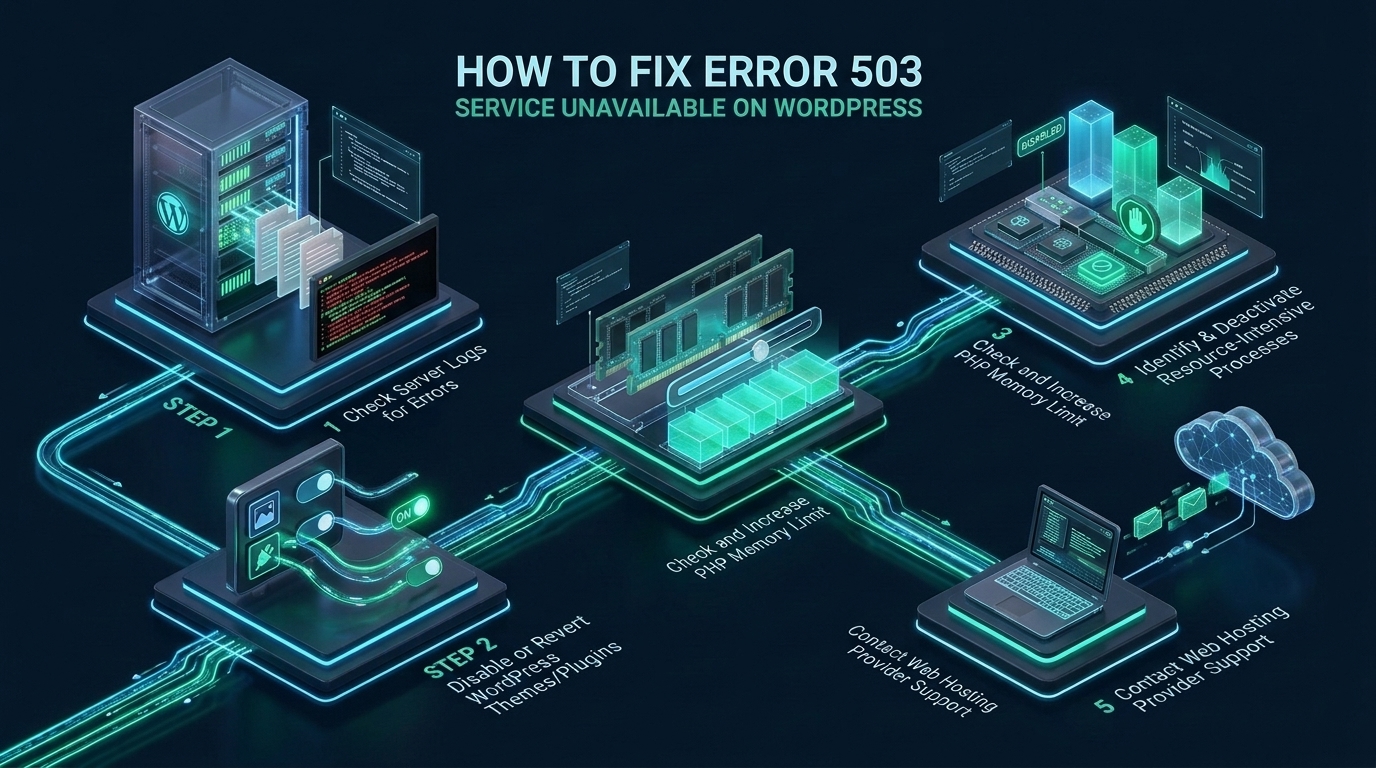
When an enterprise WordPress application collapses under sudden concurrency surges or runaway background threads, the resulting HTTP 503 Service Unavailable status code indicates that the upstream execution tier—whether PHP-FPM, LiteSpeed LSAPI, or an asynchronous worker pool—has completely saturated its processing queue and refused incoming client connections. On mission-critical environments hosted with MeraHost, maintaining sub-second Time to First Byte (TTFB) and 99.99% availability requires diagnosing root causes down to process concurrency limits, blocked database sockets, and kernel backlog exhaustion rather than blindly cycling web server daemons. Understanding how the edge reverse proxy, application execution runtime, and database engine negotiate socket transitions is critical to permanently eradicating 503 outages across production infrastructure.
What Causes Error 503 Service Unavailable on WordPress and How to Fix It?
Direct Answer: HTTP Error 503 Service Unavailable occurs when the web server cannot obtain a response from upstream application handlers (PHP-FPM, LSAPI, or FastCGI). To fix it: isolate misbehaving plugins via WP-CLI, scale PHP-FPM worker pools (pm.max_children), raise memory limits, clear transient database locks, and optimize upstream socket timeouts.
Unlike client-side 4xx errors or gateway misrouting (502 Bad Gateway / 504 Gateway Timeout), an HTTP 503 response explicitly signals that the server is operational at the TCP layer, but currently unable to handle the incoming HTTP payload due to temporary resource starvation, queue saturation, or scheduled administrative locking. In production WordPress environments, this condition is almost never caused by a core WordPress framework defect; rather, it stems from systemic resource contention across the execution stack.
When an incoming HTTP request terminates at NGINX, Apache, or LiteSpeed, the server attempts to dispatch the PHP execution request over a Unix Domain Socket (UDS) or a local TCP loopback port (e.g., 127.0.0.1:9000). If every available worker process is occupied executing long-running database queries, looping external API calls, or parsing unoptimized third-party PHP plugins, the kernel socket listen queue overflows. Once the listen queue reaches its maximum backlog (defined by net.core.somaxconn and the application’s listen.backlog), the operating system rejects subsequent SYN packets or the web server aborts with an immediate 503 Service Unavailable response.
Architecture Note: Differentiating between HTTP 502 and HTTP 503 is essential for rapid triage. An HTTP 502 (Bad Gateway) occurs when an upstream worker crashes or terminates abruptly (SIGSEGV, OOM Killer) while handling an active connection, returning an invalid or empty FastCGI response. An HTTP 503 (Service Unavailable) indicates that the upstream service is alive, but its ingress queue is completely saturated, rejecting new work before request execution even begins.
Architectural Matrix: Default vs. Tuned Production WordPress Stack
Standard out-of-the-box Linux and web hosting configurations operate under conservative resource constraints designed for shared, low-traffic environments. When unoptimized sites experience traffic bursts, these arbitrary limits trigger cascading 503 failures. The comparative matrix below outlines key architectural differentials between default hosting configurations and an enterprise-hardened production deployment:
| Feature / Metric | Standard / Default | Tuned / Production |
|---|---|---|
| PHP Process Manager (PM) | pm = dynamic (5 max children, fork latency) |
pm = static (RAM-tuned, pre-warmed workers) |
| Socket Listen Backlog | 128 to 511 (Kernel drops SYN packets under load) | 65,535 (Zero SYN queue drops during spikes) |
| Request Terminate Timeout | 0 (Disabled; rogue PHP loops lock workers forever) | 30s to 60s (Aggressive culling with slowlog dumps) |
| WP-Cron Orchestration | Web-request triggered (Frontend visitors spawn background tasks) | Disabled in PHP; Isolated systemd timer every 60s |
| Database Connection Pool | Unbounded short-lived connections (Max 151) | ProxySQL / Persistent Unix sockets with low wait_timeout |
| Object Caching Tier | Direct disk/database transient queries | In-Memory Redis 7+ with Unix socket IPC |
| Latency under 1000 RPS | > 2,400ms (Followed by 100% 503 error rate) | < 85ms TTFB (0.00% error rate on LiteSpeed NVMe) |
| File Descriptor Limits (nofile) | 1,024 (Socket creation exhaustion) | 1,048,576 (High-density concurrent networking) |
Triage Protocol: Identifying the Primary 503 Trigger
Before modifying server configurations, enterprise system administrators must isolate which layer of the WordPress topology has failed. The error typically originates from one of four primary vectors:
1. Defective or Conflicting Plugins and Themes
A poorly written plugin executing un-indexed MySQL queries, infinite recursive loops, or blocking remote API calls (such as third-party payment gateways, CRM synchronizations, or analytics trackers) holds PHP worker threads hostage. Because each PHP-FPM child process can only handle one concurrent request at a time, just 10 to 20 blocked requests can instantly exhaust the entire worker pool.
To isolate rogue plugins without browser access, execute WP-CLI directly from the Linux terminal:
# Step 1: Navigate to the web document root
cd /home/user/public_html

# Step 2: Check active plugins
wp plugin list --status=active --allow-root

# Step 3: Deactivate all plugins simultaneously to verify immediate site recovery
wp plugin deactivate --all --allow-root

# Step 4: If 503 clears immediately, reactivate plugins incrementally to identify culprit
wp plugin activate litespeed-cache woocommerce --allow-root
2. PHP-FPM Worker Pool Exhaustion
When PHP-FPM runs out of worker processes, it logs critical warnings to its master log file (typically located at /var/log/php8.3-fpm.log). Inspect the logs using standard command-line tools:
# Search for worker pool saturation warnings
grep -E "server reached pm.max_children|pool www" /var/log/php*-fpm.log

# Sample Output Indicating 503 Trigger:
# [23-Oct-2026 14:12:05] WARNING: [pool www] server reached pm.max_children setting (10), consider raising it
When this log appears, any client request arriving while all workers are busy must wait in the listen backlog. If the backlog fills up or the web server’s proxy timeout expires, the visitor receives an immediate HTTP 503 error.
3. Runaway WP-Cron Concurrency Spikes
By default, WordPress executes its internal scheduling mechanism (wp-cron.php) on every visitor page load via a non-blocking loopback HTTP request. On high-traffic sites or during bot crawler sweeps, dozens of concurrent requests spawn simultaneous wp-cron.php instances. These tasks execute heavy background jobs—such as WooCommerce order syncs, search index rebuilding, and backup exports—instantly saturating PHP-FPM and CPU cores.
Architecture Note: Never allow incoming visitor traffic to trigger background cron jobs in production. Always disable web-triggered cron in
wp-config.phpand delegate execution to a dedicated systemd timer or native Linux crontab executing via WP-CLI at scheduled intervals.
Production Configuration Files: Hardening the Application Stack
To permanently eliminate 503 errors under heavy concurrency, apply the following production configuration files across your Linux web nodes.
1. Tuned PHP-FPM Pool Configuration (/etc/php/8.3/fpm/pool.d/www-merahost.conf)
On production servers with dedicated memory allocations, switch PHP-FPM from dynamic to static. This prevents the Linux kernel from wasting CPU cycles constantly forking and terminating worker processes. Calculate pm.max_children using the mathematical formula: (Total Dedicated RAM - OS Buffer Overhead) / Average Worker Memory Footprint. For a node with 8GB RAM allocated to PHP where average workers consume 75MB, pm.max_children = (8192 - 1024) / 75 ≈ 95.
[www]
user = www-data
group = www-data

; Use Unix Domain Sockets with maximum backlog permissions
listen = /run/php/php8.3-fpm.sock
listen.owner = www-data
listen.group = www-data
listen.mode = 0660
listen.backlog = 65535

; Production Static Worker Allocation
pm = static
pm.max_children = 96
pm.max_requests = 1000

; Health checks and introspection
pm.status_path = /fpm-status
ping.path = /fpm-ping
ping.response = pong

; Aggressive termination of stalled threads to prevent 503 cascading lockups
request_terminate_timeout = 60s
request_slowlog_timeout = 5s
slowlog = /var/log/php8.3-fpm-slow.log

; Process limits and isolation
rlimit_files = 1048576
rlimit_core = 0
catch_workers_output = yes
decorate_workers_output = no

; PHP Environment Hardening
php_admin_value[memory_limit] = 512M
php_admin_value[max_execution_time] = 60
php_admin_value[upload_max_filesize] = 64M
php_admin_value[post_max_size] = 64M
php_admin_value[opcache.enable] = 1
php_admin_value[opcache.validate_timestamps] = 0
php_admin_value[opcache.revalidate_freq] = 0
2. Linux Kernel Socket & Queue Hardening (/etc/sysctl.d/99-wordpress-503-tuning.conf)
Even if PHP-FPM has 100 workers, the Linux kernel default network queue (somaxconn = 128) will reject burst connections before PHP-FPM can accept them from the socket. Deploy these kernel parameters to enable massive socket concurrency and fast connection recycling:
# /etc/sysctl.d/99-wordpress-503-tuning.conf
# Enforce high-density TCP socket concurrency and prevent SYN drops

# Maximum socket listen backlog for Unix sockets and TCP listeners
net.core.somaxconn = 65535

# Maximum network device input queue length for incoming packet bursts
net.core.netdev_max_backlog = 65535

# TCP SYN queue limits to absorb high-frequency incoming connections
net.ipv4.tcp_max_syn_backlog = 65535

# Enable fast recycling of TIME_WAIT sockets for outgoing proxy connections
net.ipv4.tcp_tw_reuse = 1

# Reduce TCP FIN timeout to free socket file descriptors rapidly
net.ipv4.tcp_fin_timeout = 15

# Expand dynamic ephemeral port range for upstream reverse proxy connections
net.ipv4.ip_local_port_range = 10240 65535

# Maximize file descriptor limits across the entire operating system
fs.file-max = 2097152

# Virtual Memory: Avoid aggressive swapping under memory pressure
vm.swappiness = 10
vm.dirty_ratio = 15
vm.dirty_background_ratio = 5
Apply these kernel sysctl parameters immediately without rebooting via sysctl -p /etc/sysctl.d/99-wordpress-503-tuning.conf.
3. Systemd Service Unit Limits (/etc/systemd/system/php8.3-fpm.service.d/override.conf)
Modern Linux distributions enforce systemd cgroup constraints on services. If the systemd unit restricts file descriptors or process count, PHP-FPM will hit a wall regardless of configuration. Create a systemd drop-in override:
# Create directory and override file
mkdir -p /etc/systemd/system/php8.3-fpm.service.d/

# /etc/systemd/system/php8.3-fpm.service.d/override.conf
[Service]
LimitNOFILE=1048576
LimitNPROC=524288
TasksMax=infinity

# Reload systemd and restart PHP-FPM
systemctl daemon-reload
systemctl restart php8.3-fpm
Resolving Database Deadlocks and Background Queue Contention
While PHP-FPM is the component directly serving the 503 error, the underlying trigger is frequently database lock contention inside MySQL or MariaDB. When multiple concurrent checkout requests, WooCommerce inventory updates, or post revisions lock table rows in InnoDB, PHP processes stack up waiting for locks to release.
To identify whether database locks are suffocating your PHP workers, execute the following SQL diagnostics inside MySQL:
-- Check active running queries and lock wait status
SELECT id, user, host, db, command, time, state, info
FROM information_schema.processlist
WHERE command != 'Sleep' AND time > 5
ORDER BY time DESC;

-- Identify InnoDB Lock Waits and Blocking Transactions
SELECT
    r.trx_id waiting_trx_id,
    r.trx_mysql_thread_id waiting_thread,
    r.trx_query waiting_query,
    b.trx_id blocking_trx_id,
    b.trx_mysql_thread_id blocking_thread,
    b.trx_query blocking_query
FROM performance_schema.data_lock_waits w
INNER JOIN information_schema.innodb_trx b ON b.trx_id = w.blocking_engine_transaction_id
INNER JOIN information_schema.innodb_trx r ON r.trx_id = w.requesting_engine_transaction_id;
If transactions remain in a Waiting for table metadata lock or Lock wait timeout exceeded state, terminate the blocking thread using KILL ;. To prevent future database lock build-ups, ensure your my.cnf includes a tuned innodb_lock_wait_timeout = 20 (reducing the default from 50 seconds to fail fast) and configure max_connections = 500 backed by appropriate InnoDB buffer pool allocations.
Eliminating WP-Cron Frontend Overhead
To decouple background job execution from web requests, edit your wp-config.php to add the cron suspension directive:
// Disable HTTP request-based WP-Cron in wp-config.php
define('DISABLE_WP_CRON', true);
Next, add an asynchronous cron entry to the host crontab running every minute via WP-CLI:
# /etc/cron.d/wordpress-cron
* * * * * www-data /usr/local/bin/wp cron event run --due-now --path=/home/user/public_html --quiet > /dev/null 2>&1
By offloading scheduled tasks to the system scheduler, frontend visitor threads remain 100% dedicated to rendering dynamic page requests, eliminating cron-induced 503 spikes entirely.
The Upstream Architecture Advantage: LiteSpeed LSAPI vs. Apache/NGINX
In high-concurrency enterprise deployments, web server architecture plays a decisive role in connection survival. While traditional NGINX and Apache reverse-proxy setups manage connections through separate FastCGI proxy abstractions, LiteSpeed Web Server integrates the native LiteSpeed SAPI (LSAPI) protocol. LSAPI communicates directly with pooled PHP worker threads via shared memoryIPC, drastically minimizing CPU context switching.
Furthermore, LiteSpeed Enterprise incorporates automated Anti-DDoS connection throttling and dynamic worker scaling. If an un-cached PHP endpoint encounters a traffic spike, LiteSpeed dynamically buffers excess connections in an ultra-low-latency event loop without dropping sockets, preventing the 503 errors typical of standard PHP-FPM queues. For enterprise WordPress applications seeking absolute stability, hosting on MeraHost Enterprise Cloud guarantees zero-throttle LiteSpeed infrastructure coupled with enterprise NVMe storage to absorb peak concurrent workloads without performance degradation.
Frequently Asked Questions (FAQs)
Why does Error 503 occur only during peak traffic hours?
During peak traffic, simultaneous dynamic requests exceed the pre-allocated PHP-FPM pm.max_children worker threshold. Excess requests queue in the socket listen backlog; once the backlog exceeds net.core.somaxconn or the web server’s proxy timeout limit, the web server rejects new connections with an HTTP 503 Service Unavailable code. Upgrading to static worker pools and expanding kernel listen queues resolves this bottleneck.
How can I bypass a 503 error to access the WordPress admin panel?
When frontend visitors exhaust all PHP workers, you can gain immediate emergency access by bypassing the web server’s PHP pool. Use WP-CLI in terminal to run wp plugin deactivate --all, or temporarily rename the /wp-content/plugins directory to /wp-content/plugins_backup via SSH. This immediately frees trapped worker threads, enabling admin login to inspect error logs.
Is increasing memory_limit in wp-config.php sufficient to fix 503 errors?
No. Increasing WP_MEMORY_LIMIT only prevents individual script executions from dying due to out-of-memory errors (which usually throw a 500 fatal error or 502 crash). In fact, raising memory limits without scaling physical RAM can worsen 503 errors because each PHP-FPM worker consumes more memory, forcing the operating system to reduce pm.max_children to prevent kernel OOM thrashing.
How does LiteSpeed Web Server prevent 503 errors compared to standard Apache?
LiteSpeed uses an asynchronous, event-driven architecture paired with LSAPI (LiteSpeed Server Application Programming Interface), which is up to 50% faster than Apache mod_php or FastCGI. LSAPI maintains persistent worker pools that adapt dynamically to traffic spikes without thread-locking, while native LSCache serves page requests directly from memory cache without invoking the PHP interpreter or database layer.
Deploy Enterprise-Grade Production Infrastructure
Need guaranteed performance with zero price hikes? Host mission-critical workloads on MeraHost with pure Enterprise NVMe, LiteSpeed Web Server, and Same Renewal Price, Always (starting at ₹99/mo).