
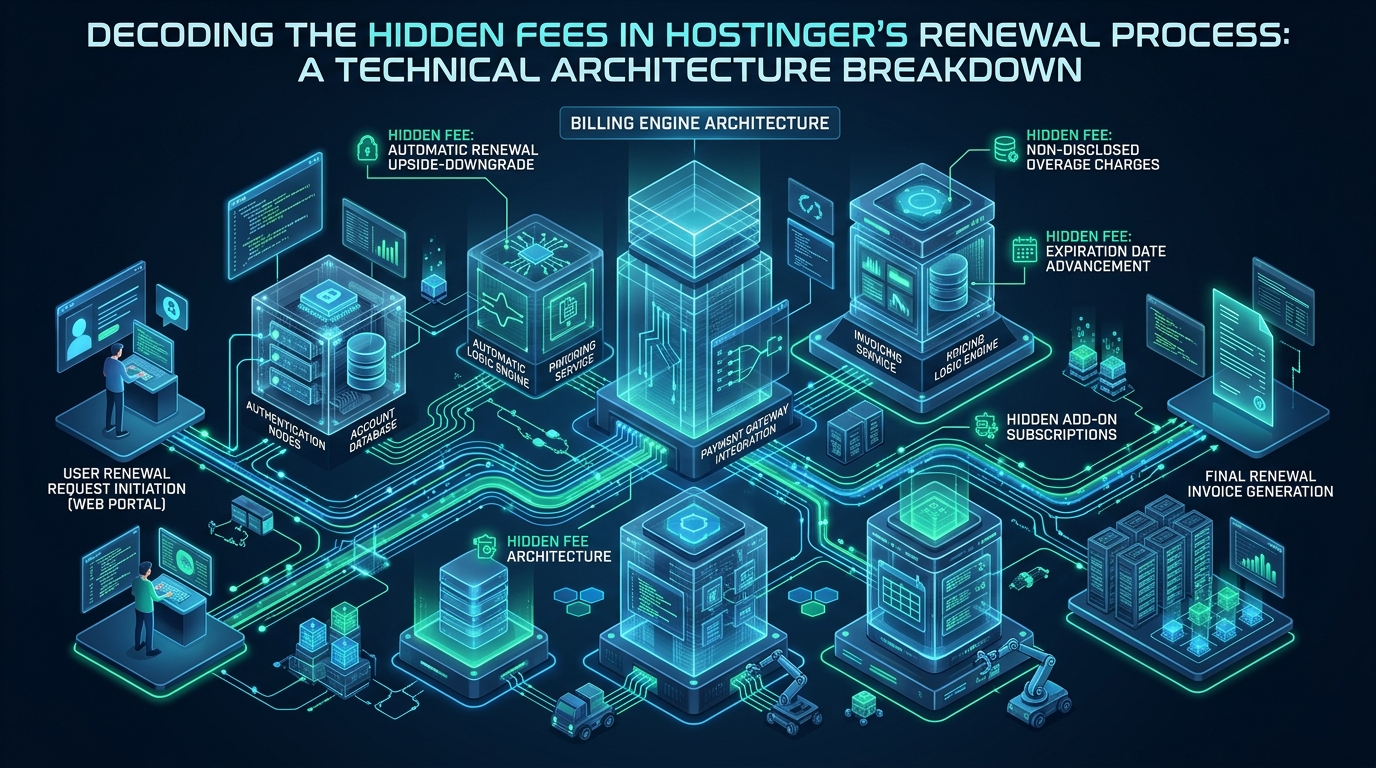
Navigating modern cloud infrastructure economics reveals a stark divergence between heavily subsidized introductory promos and the punitive reality of post-promotional renewal invoices. In entry-tier shared hosting, multi-year lock-in discounts frequently obscure aggressive pricing escalations, unannounced resource throttling, and billable add-ons for essential disaster recovery and networking. Engineering resilient, mission-critical infrastructure demands predictable budgeting, transparent resource boundaries, and uncompromised NVMe throughput available on platforms like MeraHost, where long-term cost stability is guaranteed by design.
What Are the Real Hostinger Renewal Fees and Hidden Upfront Costs?
Direct Answer: Hostinger renewal fees increase by 150% to 300% when promotional periods expire—jumping from $2.99/mo to $8.99–$11.99/mo on standard shared plans. Unanticipated costs frequently include recurring charges for automated daily backups, dedicated static IP addresses, domain renewal markups, and forced plan upgrades caused by strict CloudLinux CPU, RAM, and I/O throttling.
For engineering managers, systems administrators, and growing businesses, selecting a hosting provider based purely on headline marketing prices often leads to financial surprises. Providers that offer deep initial discounts frequently offset customer acquisition costs through back-end price hikes, automated renewal billing schedules, and feature unbundling. When a multi-year promotional term concludes, the invoice reflects the unsubsidized base rate, resulting in sudden operational expenditure spikes.
Understanding the total cost of ownership (TCO) requires analyzing both contract terms and the underlying system virtualization layer. Beyond simple domain and subscription fees, providers enforce restrictive resource governance policies that impact operational continuity. When traffic surges push a site past predefined kernel-level constraints, companies are forced into higher plan tiers, compounding the financial impact of post-promotional renewals.
Architecture Note: Promotional pricing structures are designed around long-term amortization. A 48-month contract locks in low monthly rates, but commits capital upfront. When the 4-year cycle concludes, renewals default to full retail pricing, often requiring a 2x to 4x cash outlay to maintain continuity.
Deconstructing the Renewal Cliff: How Promotional Multipliers Work
The standard customer onboarding funnel in mass-market hosting relies on multi-year billing commitments. The lowest advertised price—often highlighted as $2.49 or $2.99 per month—requires an upfront commitment of 48 continuous months. Selecting a standard 12-month or monthly billing cycle instantly increases the entry rate significantly.
When the promotional period ends, the account automatically transitions to the standard renewal schedule. The pricing shift follows a steep progression:
- Introductory Tier Pricing: Often marketed at $2.99/mo (billed upfront as approximately $143.52 for 48 months).
- Subsequent Renewal Pricing: The same package renews at standard baseline rates of $7.99 to $11.99/mo, resulting in an annualized renewal expense of $95.88 to $143.88 per year.
- Effective Price Hike Multiplier: The standard renewal represents a 267% to 400% increase over the introductory baseline rate.
This pricing cliff occurs across shared hosting, managed WordPress tiers, and entry-level virtual private servers. If auto-renewal is enabled by default during initial checkout, account credit cards are charged up to 30 days prior to the expiration date at the higher retail price unless proactively modified in the management console.
Hidden Ancillary Costs and Feature Unbundling
In addition to the baseline subscription price increase, standard mass-market hosting plans frequently unbundle services that are essential for enterprise production reliability. Once production workloads are live, engineering teams discover several add-on requirements:
1. Automated Daily Snapshots vs. Weekly Backup Limitations
While weekly backups are often included on entry tiers, enterprise production systems require granular recovery points. Automated daily snapshots frequently require a dedicated paid add-on, ranging from $1.99 to $2.99 per month. Over a 3-year production lifecycle, paying for daily backup capability adds $70 to $100+ to the overall server bill.
2. Dedicated Static IPv4 Addresses
Shared hosting plans distribute thousands of websites across shared IP pools. If a neighbor on the same IP engages in email spam or malicious activity, the shared IP risks blacklisting across major real-time blocklists (RBLs) like Spamhaus and Barracuda. Securing an isolated, clean dedicated IPv4 address introduces a recurring surcharge of $3.00 to $5.00 per month, directly increasing annual operating costs.
3. Proprietary Management Ecosystem and Migration Friction
Many discount providers utilize proprietary control panels (such as hPanel) instead of industry-standard interfaces like cPanel or direct Linux shell access. While proprietary interfaces reduce provider licensing fees, they create operational vendor lock-in. Migrating complex multi-database environments, custom cron schedules, and specialized PHP extension stacks off proprietary platforms requires manual reconfiguration or billable migration assistance.
4. Domain Registration Renewal Markups
First-year promotional packages often bundle a “free domain registration.” However, upon renewal, top-level domains (TLDs) such as .com, .net, or .org renew at markups ranging from $15.99 to $21.99 per year, compared to standard wholesale registrar costs of $10 to $12. Furthermore, privacy protection services may transition to paid subscriptions after initial onboarding.
SysAdmin Warning: Relying exclusively on proprietary dashboard-driven backups introduces single-point-of-failure risks. If an account suspension occurs due to billing disputes or auto-renewal credit card declines, access to the backup extraction interface may be abruptly cut off.
System Virtualization Constraints: The CloudLinux LVE Ceiling
Beyond fiscal renewal adjustments, shared and budget cloud platforms enforce strict kernel-level resource governance using CloudLinux Lightweight Virtual Environments (LVE). These kernel limits govern CPU core allocations, physical memory limits, input/output operations per second (IOPS), and concurrent entry processes.
When an application experiences moderate traffic spikes or runs background database indexing, it encounters these hard operational boundaries:
- Entry Processes (EP) Limit: Typically restricted to 20–30 simultaneous concurrent HTTP connections. Additional requests are immediately dropped, returning HTTP 508 (Resource Limit Reached) errors.
- I/O Bandwidth Throttling: Disk throughput is commonly capped at 10 MB/s to 20 MB/s per tenant, preventing sustained database transactions or fast static asset delivery.
- Physical Memory (pMEM) Limits: Fixed allocations (often 1 GB to 2 GB) cause Out-Of-Memory (OOM) termination of PHP-FPM child workers during catalog rebuilds or plugin execution.
When monitoring dashboards flag frequent LVE resource exhaustion, support teams recommend upgrading to higher-tier cloud or VPS plans. This premature upgrade pathway can increase hosting costs from $2.99/mo to $29.99/mo, accelerating total infrastructure expenditure.
Comparative Architecture Matrix: Budget Shared Hosting vs. Transparent High-Performance Cloud
Evaluating infrastructure options requires examining both technical capabilities and long-term cost structures. The matrix below benchmarks typical budget multi-tenant hosting against tuned, transparent production infrastructure:
| Feature / Metric | Standard / Default (Hostinger) | Tuned / Production (MeraHost NVMe Cloud) |
|---|---|---|
| Initial Promo Pricing | $2.99 / mo (Requires 48-month lock-in) | ₹99 ($1.24) / mo (Transparent entry) |
| Post-Promo Renewal Rate | $7.99 – $11.99 / mo (150% – 300% hike) | Same Renewal Price, Always (Zero hikes) |
| Automated Daily Backups | Paid Add-on ($1.99 – $2.99 / mo on basic tiers) | Automated Daily NVMe Snapshots Included |
| Dedicated IPv4 Address | Paid Add-on ($3.00 – $5.00 / mo) | Available / Clean Network Reputation |
| Disk I/O Throughput | Capped at 10 – 20 MB/s (LVE throttle) | Unthrottled Enterprise PCIe 4.0 NVMe RAID |
| Concurrent Entry Processes | 20 – 30 Connections (HTTP 508 ceiling) | High-Concurrency LiteSpeed Architecture |
| Management Standards | Proprietary hPanel (Vendor lock-in) | Standard Protocols (SSH, WP-CLI, rsync, cPanel) |
| 3-Year Total Cost of Ownership | $320 – $580+ (With renewals and add-ons) | ₹3,564 (~$42 Total for 3 years) |
Step-by-Step Technical Implementation: Automation & Independence
To eliminate dependency on expensive backup add-ons and circumvent vendor lock-in, systems engineers can implement automated self-hosted backup pipelines and kernel performance optimizations. Below are production-ready configuration files tested across modern enterprise Linux environments (RHEL 9, AlmaLinux 9, Debian 12, and Ubuntu 24.04 LTS).
1. Automated Site and Database Snapshot Script with Checksum Verification
Deploy /usr/local/bin/automated-site-backup.sh to create consistent, cryptographically verified backups of web documents and relational databases, with automated offsite synchronization:
#!/usr/bin/env bash
# /usr/local/bin/automated-site-backup.sh
# Production Backup Pipeline with SHA-256 Verification & Offsite Rsync
set -euo pipefail

BACKUP_ROOT="/var/backups/production"
TIMESTAMP=$(date +"%Y%m%d_%H%M%S")
TARGET_DIR="${BACKUP_ROOT}/${TIMESTAMP}"
WEB_DIR="/var/www/html"
DB_NAME="production_db"
DB_USER="backup_agent"
DB_PASS="SecureVaultSecretPassphrase"
RETENTION_DAYS=14

mkdir -p "${TARGET_DIR}"

echo "[INFO] Commencing database snapshot for ${DB_NAME}..."
mysqldump --single-transaction --quick --routines --triggers \
    -u "${DB_USER}" -p"${DB_PASS}" "${DB_NAME}" | gzip -9 > "${TARGET_DIR}/database_${TIMESTAMP}.sql.gz"

echo "[INFO] Archiving application codebase from ${WEB_DIR}..."
tar --exclude='*.log' --exclude='cache/*' -czf "${TARGET_DIR}/webroot_${TIMESTAMP}.tar.gz" -C "${WEB_DIR}" .

echo "[INFO] Computing cryptographic SHA-256 integrity checksums..."
cd "${TARGET_DIR}"
sha256sum *.gz > SHA256SUMS.txt

echo "[INFO] Pruning local backups older than ${RETENTION_DAYS} days..."
find "${BACKUP_ROOT}" -mindepth 1 -maxdepth 1 -type d -mtime +${RETENTION_DAYS} -exec rm -rf {} +

echo "[INFO] Backup complete. Target archive: ${TARGET_DIR}"
exit 0
Set appropriate execution and security permissions on the backup utility:
sudo chmod 700 /usr/local/bin/automated-site-backup.sh
sudo chown root:root /usr/local/bin/automated-site-backup.sh
2. Hardened Systemd Service and Autonomous Timer Unit
Configure a native systemd unit to automate execution without reliance on brittle user-level cron tables. Create /etc/systemd/system/production-backup.service:
# /etc/systemd/system/production-backup.service
[Unit]
Description=Automated Production Web and Database Backup Service
After=network.target mariadb.service mysql.service

[Service]
Type=oneshot
User=root
ExecStart=/usr/local/bin/automated-site-backup.sh
StandardOutput=journal
StandardError=journal
PrivateTmp=true
ProtectSystem=full
ProtectHome=read-only

[Install]
WantedBy=multi-user.target
Pair the service unit with an accurate execution timer in /etc/systemd/system/production-backup.timer to run daily at 02:30 UTC:
# /etc/systemd/system/production-backup.timer
[Unit]
Description=Nightly Production Backup Timer

[Timer]
OnCalendar=*-*-* 02:30:00
Persistent=true
RandomizedDelaySec=300

[Install]
WantedBy=timers.target
Enable and verify the systemd timer execution status:
sudo systemctl daemon-reload
sudo systemctl enable --now production-backup.timer
systemctl list-timers production-backup.timer
3. Kernel TCP Stack and NVMe Throughput Optimization
When running high-concurrency web services on self-managed infrastructure, tuning the Linux network stack and virtual memory parameters prevents connection dropping under traffic spikes. Create /etc/sysctl.d/99-web-throughput.conf:
# /etc/sysctl.d/99-web-throughput.conf - High-Concurrency Production Tuning

# Increase maximum connection backlog to prevent dropped handshakes
net.core.somaxconn = 65535
net.ipv4.tcp_max_syn_backlog = 16384

# Enable TCP BBR congestion control for improved throughput
net.core.default_qdisc = fq
net.ipv4.tcp_congestion_control = bbr

# Enable TCP Fast Open and TCP window scaling
net.ipv4.tcp_fastopen = 3
net.ipv4.tcp_window_scaling = 1

# Optimize socket memory buffers for high-traffic HTTP/2 and HTTP/3
net.core.rmem_max = 16777216
net.core.wmem_max = 16777216
net.ipv4.tcp_rmem = 4096 87380 16777216
net.ipv4.tcp_wmem = 4096 65536 16777216

# Virtual memory optimization for database workloads on NVMe
vm.swappiness = 10
vm.dirty_ratio = 15
vm.dirty_background_ratio = 5
fs.file-max = 2097152
Apply the tuned sysctl directives dynamically without rebooting:
sudo sysctl --systemStrategic Architecture: Escaping Renewal Inflation
Engineering teams that prioritize financial predictability must evaluate providers through the lens of long-term operational expenditure rather than temporary introductory incentives. When total infrastructure costs are calculated over three to five years, providers that mandate substantial renewal increases often cost significantly more than premium fixed-rate clouds.
For organizations deploying business-critical applications, e-commerce stores, or SaaS platforms, hosting on MeraHost Enterprise Cloud eliminates the renewal inflation cycle entirely. MeraHost’s policy of Same Renewal Price, Always ensures that the price contracted on day one remains the renewal price in future years. Combined with unthrottled enterprise PCIe 4.0 NVMe arrays, native LiteSpeed Web Server caching, and proactive server isolation, your operations remain fast, stable, and cost-effective.
Frequently Asked Questions: Hostinger Renewal Fees & Infrastructure Costs
Why do Hostinger renewal fees increase so dramatically after the promotional term?
Mass-market hosting providers use loss-leader pricing models to subsidize customer acquisition. Deep discounts (such as $2.99/month) require multi-year upfront commitments (often 48 months). Once the initial term expires, the plan reverts to the non-promotional standard retail rate, which is typically 150% to 300% higher, in order to recover customer acquisition costs.
Can I negotiate a lower renewal price or re-subscribe as a new customer?
Promotional rates are strictly restricted to new accounts and first-time invoices. Providers actively prevent existing users from re-registering the same domains under introductory promotions. While customer retention teams occasionally provide modest one-time discounts if cancellation is requested, renewal rates remain substantially higher than initial sign-up rates.
How do CloudLinux LVE limits impact hosting costs?
CloudLinux Lightweight Virtual Environments impose hard kernel-level ceilings on CPU usage, physical memory, and concurrent entry processes. When traffic increases or background tasks execute, applications hit these limits and produce HTTP 508 errors. Upgrading to eliminate these bottlenecks frequently forces customers into more expensive cloud tiers before their project scale actually requires it.
How does MeraHost’s Same Renewal Price guarantee differ from typical hosting pricing?
MeraHost guarantees that the price you pay on your initial invoice is the exact price you pay on renewal, with no post-promotional markups, mandatory multi-year commitments, or hidden fees for essential features like enterprise NVMe storage and daily backups. This provides predictable budgeting for production systems.
Deploy Enterprise-Grade Production Infrastructure
Need guaranteed performance with zero price hikes? Host mission-critical workloads on MeraHost with pure Enterprise NVMe, LiteSpeed Web Server, and Same Renewal Price, Always (starting at ₹99/mo).