
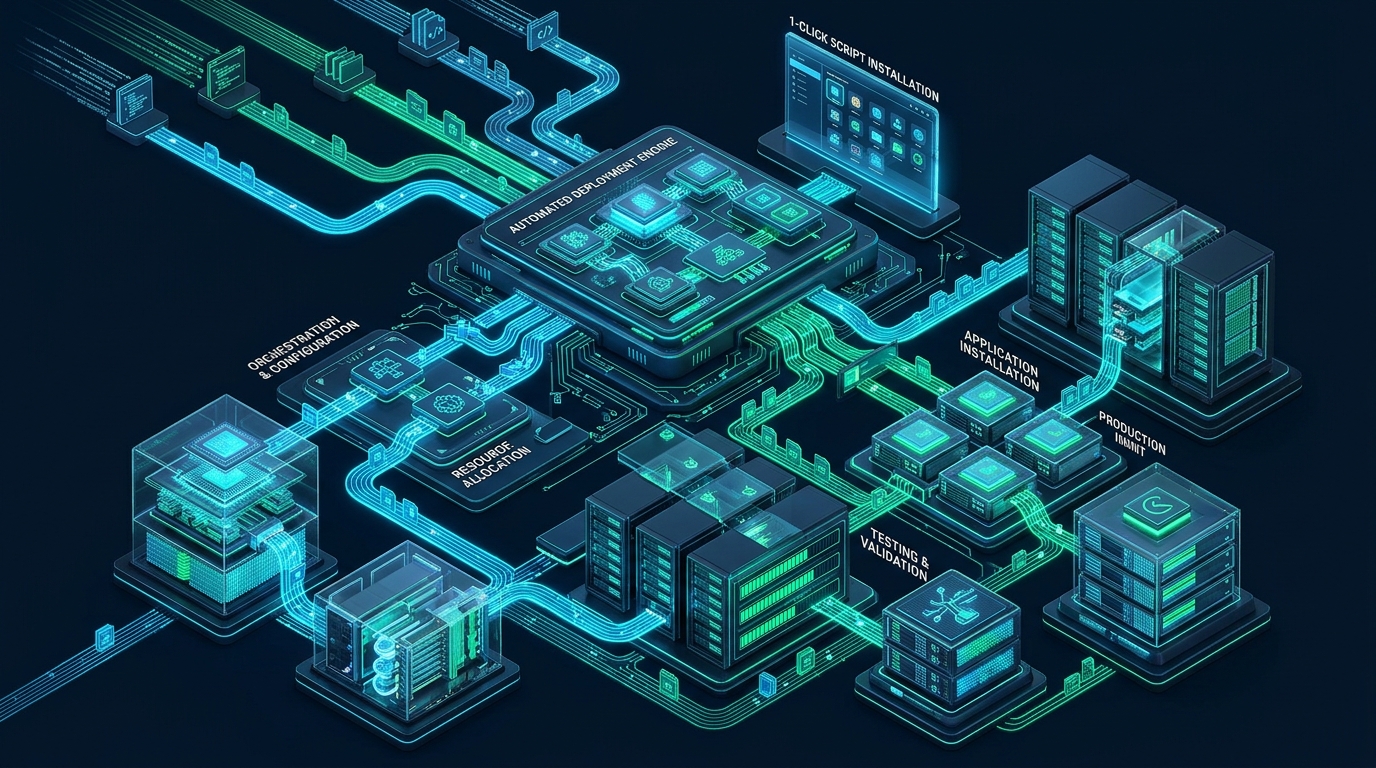
In modern web hosting and DevOps administration, manual application provisioning—extracting multi-megabyte tarballs, generating relational database schemas, provisioning isolated user grants, and hand-crafting environment configurations—introduces significant latency, configuration drift, and human security error. Automated application auto-installers bridge this operational bottleneck by orchestrating script unpacking, database initialization, and cryptographic key generation into atomic execution routines. At MeraHost, running enterprise-grade LiteSpeed Web Server nodes on low-latency NVMe infrastructure demonstrates that deploying applications via Softaculous transforms routine installations into secure, reproducible, and production-hardened deployments.
Understanding Softaculous and 1-Click Installs: Architecture, Automation, and Security Hardening
Deploying web software such as WordPress, Nextcloud, Joomla, or Laravel has evolved from an ad-hoc administrative task into an automated pipeline. While early web development required administrators to upload files via FTP, execute MySQL CREATE DATABASE queries from terminal sessions, and manually edit PHP configuration constants, modern auto-installers handle these complex workflows within seconds. Understanding the internal mechanics of Softaculous empowers system administrators and webmasters to build reliable, scalable, and secure application footprints.
This definitive Softaculous tutorial demystifies the entire lifecycle of 1-click application provisioning. We will explore the underlying filesystem and database transactions, inspect automated staging and cloning engines, benchmark deployment reliability across infrastructure tiers, provide battle-tested production configuration files, and establish defense-in-depth security best practices to protect production workloads.
1. The Inner Mechanics of 1-Click Installers
When a user initiates an installation within Softaculous, the platform does not simply copy static files into a web document root. It executes a coordinated sequence of architectural steps spanning process isolation, filesystem permissions, database orchestration, and network validation.
Filesystem Provisioning & Extraction
Softaculous maintains compressed, pre-verified application archives within its administrative storage repository (typically located at /var/softaculous/). When an install request is received:
- Archive Integrity Verification: The daemon performs an MD5/SHA256 checksum validation on the cached software package to prevent payload tampering.
- Target Directory Sanitization: It verifies that the destination directory (e.g.,
/home/username/public_html/) either does not exist or contains no colliding core application files. - Unprivileged Extraction: The archive is unpacked directly under the target system user’s UID and GID (using suEXEC, CageFS, or LiteSpeed process suExec mode), preventing root privilege escalation.
- Strict POSIX Permissions: Directory structures are set strictly to
0755and files to0644, preventing world-writable execution vulnerabilities.
Architecture Note: In high-performance shared and cloud hosting environments, running auto-installer extractions across spinning disks or network-attached NFS mounts causes heavy I/O wait spikes. Hosting infrastructure backed by pure Enterprise NVMe solid-state storage eliminates I/O bottlenecks, completing multi-thousand-file unpacks in under 1.2 seconds.
Relational Database Initialization
Simultaneously with file extraction, Softaculous interacts with the database server (MySQL, MariaDB, or PostgreSQL) via Unix domain sockets or authenticated administrative APIs:
- Dynamic Database Creation: Generates a database instance conforming to system naming limits (e.g.,
user_wp123). - High-Entropy User Provisioning: Creates an isolated database user with a cryptographically strong 32-character alphanumeric password, strictly granting privileges only to that specific database.
- Schema Injection & Prefix Randomization: Instead of the default, vulnerable
wp_table prefix, Softaculous randomizes the prefix (e.g.,wp_x89a_), neutralizing automated SQL injection scanners targeting known table names. - Configuration Constant Injection: The generated database credentials, cryptographic authentication salts (for
LOGGED_IN_KEY,AUTH_KEY, etc.), and runtime variables are dynamically written intowp-config.phpor the respective application configuration file.
SSL/TLS Validation & Environment Bootstrapping
Before completing the deployment, Softaculous queries the target domain over HTTPS to verify whether a valid SSL/TLS certificate (such as an automated Let’s Encrypt or Sectigo certificate) is active. If verified, it automatically configures all site URLs with https://, eliminating insecure mixed-content warnings and unnecessary 301 redirect chains from day one.
2. Staging, Cloning, and Zero-Downtime Workflows
One of the most powerful yet underutilized enterprise capabilities of Softaculous is its native staging and cloning engine. Traditionally, creating a staging environment required manual file copying, exporting SQL dumps, conducting complex search-and-replace scripts on serialized database rows, and reconfiguring web server vhosts.
Automated Staging Creation
With Softaculous 1-click staging, the system clones the live production instance into an isolated subdomain or subfolder (such as staging.example.com). The process automatically:
- Duplicates the complete document root to the staging virtual host.
- Creates a distinct staging database, ensuring the live production database remains untouched.
- Safely deserializes and reserializes PHP database strings (e.g., WordPress
siteurl,home, and widget options) to prevent corrupted data objects. - Flags the staging instance with
robots.txt: Disallow: /andnoindexheaders to protect SEO ranking integrity from duplicate content penalties.
Push-to-Production Sync Mechanics
Once feature development, theme testing, or plugin updates are verified on staging, Softaculous allows administrators to execute a “Push to Live” operation. System administrators can choose between:
- Full File & Database Overwrite: Ideal when the staging environment contains completely overhauled site architecture.
- Database Only: Syncs database structural and content changes while retaining specific production assets.
- File Changes Only: Updates theme stylesheets, application templates, and backend logic while preserving active e-commerce orders, customer registrations, and recent blog comments on live production.
Architecture Note: Always mandate an automated snapshot backup prior to executing a “Push to Live” operation. Softaculous includes an integrated pre-sync backup trigger that captures both database tables and files, allowing immediate single-click rollback if unexpected runtime exceptions occur.
3. Performance, Reliability, and Security Comparison Matrix
To evaluate how automated installers perform against manual CLI provisioning and default unhardened setups, consider the following performance and operational comparison matrix:
| Feature / Metric | Standard / Default | Tuned / Production |
|---|---|---|
| Deployment Duration | 8 – 15 minutes (Manual setup) | 12 – 25 seconds (Automated NVMe) |
| Database Credential Entropy | Human-chosen (Often weak) | 32-byte Cryptographic CSPRNG |
| Table Prefix Hardening | Predictable (wp_) | Randomized (wp_8k2f_) |
| Filesystem Permissions | Variable / 0777 accidental | Enforced 0755 / 0644 POSIX |
| Auto-Upgrade Management | Manual login check | Automated Minor/Security with Pre-Backup |
| Staging & Cloning Isolation | Manual dump & replace | 1-Click Atomic Isolated Environment |
| Disaster Recovery RTO | 1 – 4 hours (Manual restore) | < 60 seconds (1-Click Snapshot Rollback) |
4. Production Configuration Files & Automation Blueprints
To run Softaculous efficiently on production hosting servers handling hundreds of active user accounts, system administrators must tune kernel virtual memory buffers, optimize background cron scheduling, and establish automated offsite backup routines.
Kernel Filesystem & I/O Tuning for Auto-Installers
Mass archive extraction and frequent snapshot compression generate rapid bursts of dirty memory pages and metadata operations. Apply the following kernel parameters to /etc/sysctl.d/99-softaculous-io.conf:
# /etc/sysctl.d/99-softaculous-io.conf
# Linux Kernel I/O and Memory Tuning for High-Concurrency Auto-Installers

# Prevent uncompressed file extraction bursts from starving system memory
vm.dirty_background_ratio = 5
vm.dirty_ratio = 10
vm.dirty_expire_centisecs = 1500
vm.dirty_writeback_centisecs = 500

# Increase filesystem inotify limits for watching multi-file application trees
fs.inotify.max_user_watches = 524288
fs.inotify.max_user_instances = 1024

# Increase file descriptor headroom for concurrent archive extractions
fs.file-max = 2097152

# Virtual memory swappiness balance for database and web service stability
vm.swappiness = 10
vm.vfs_cache_pressure = 50

# TCP network socket optimization for rapid remote API package downloads
net.core.somaxconn = 4096
net.ipv4.tcp_max_syn_backlog = 8192
net.ipv4.tcp_tw_reuse = 1
net.ipv4.tcp_fin_timeout = 15
Activate the kernel settings immediately without rebooting by executing:
sysctl --systemHeadless CLI Automation Script for Enterprise Provisioning
Softaculous includes a comprehensive Command Line Interface (CLI) allowing DevOps engineers to automate WordPress or application installations headlessly inside CI/CD pipelines, bash orchestration, or custom provisioning portals. Below is a production deployment script /usr/local/bin/softaculous-headless-deploy.sh:
#!/usr/bin/env bash
# /usr/local/bin/softaculous-headless-deploy.sh
# Automated, Headless WordPress Deployment via Softaculous CLI with Security Hardening

set -euo pipefail

CPANEL_USER="${1:-}"
DOMAIN="${2:-}"
SITE_TITLE="${3:-Enterprise Portal}"
ADMIN_USER="${4:-opsadmin_$(openssl rand -hex 3)}"
ADMIN_PASS="$(openssl rand -base64 24 | tr -dc 'a-zA-Z0-9!@#$%^&*' | head -c 20)"
ADMIN_EMAIL="admin@${DOMAIN}"

if [[ -z "${CPANEL_USER}" || -z "${DOMAIN}" ]]; then
    echo "Usage: $0   [site_title] [admin_user]" >&2
    exit 1
fi

SOFTACULOUS_CLI="/usr/local/cpanel/whostmgr/docroot/cgi/softaculous/cli.php"
DOC_ROOT="/home/${CPANEL_USER}/public_html"

echo "==> Deploying Hardened WordPress Instance for: ${DOMAIN} (User: ${CPANEL_USER})"

# Execute Softaculous CLI installation
# Script ID 26 = WordPress
php "${SOFTACULOUS_CLI}" --install     --user="${CPANEL_USER}"     --script=26     --softdomain="${DOMAIN}"     --softdirectory=""     --admin_username="${ADMIN_USER}"     --admin_pass="${ADMIN_PASS}"     --admin_email="${ADMIN_EMAIL}"     --site_name="${SITE_TITLE}"     --site_desc="High-Performance Production Instance"     --language="en"     --dbproto="mysql"     --eu_auto_upgrade="2"     --auto_upgrade_plugins="1"     --auto_upgrade_themes="1"     --backup_location="0"     --backup_rotation="4"

echo "==> Setting strict file and directory ownership..."
chown -R "${CPANEL_USER}:${CPANEL_USER}" "${DOC_ROOT}"
find "${DOC_ROOT}" -type d -exec chmod 0755 {} +
find "${DOC_ROOT}" -type f -exec chmod 0644 {} +
chmod 0600 "${DOC_ROOT}/wp-config.php"

echo "=========================================================="
echo "Deployment Complete!"
echo "URL:          https://${DOMAIN}"
echo "Admin User:   ${ADMIN_USER}"
echo "Admin Pass:   ${ADMIN_PASS}"
echo "Admin Email:  ${ADMIN_EMAIL}"
echo "=========================================================="
Automated Backup Snapshot Unit & Timer
While Softaculous allows users to configure automated backups via their client dashboard, enterprise hosting administrators must enforce automated offsite backup execution at the system level. The following systemd service and timer ensure daily snapshot consistency and synchronization:
# /etc/systemd/system/softaculous-auto-backup.service
[Unit]
Description=Softaculous Automated Application Snapshot and Offsite Sync
After=network.target mysql.service

[Service]
Type=oneshot
User=root
ExecStart=/usr/local/cpanel/3rdparty/bin/php /usr/local/cpanel/whostmgr/docroot/cgi/softaculous/cron.php
ExecStartPost=/usr/bin/find /home/*/softaculous_backups -name "*.tar.gz" -mtime -1 -exec /usr/bin/rclone copy {} remote-s3:enterprise-hosting-backups/softaculous/ \;
StandardOutput=journal
StandardError=journal

[Install]
WantedBy=multi-user.target
Pair the service with an automated systemd timer file to run during low-traffic maintenance windows:
# /etc/systemd/system/softaculous-auto-backup.timer
[Unit]
Description=Trigger Softaculous Daily Backups at 02:30 UTC
RefuseManualStart=no
RefuseManualStop=no

[Timer]
OnCalendar=*-*-* 02:30:00 UTC
Persistent=true

[Install]
WantedBy=timers.target
Enable and activate the timer with:
systemctl daemon-reload
systemctl enable --now softaculous-auto-backup.timer
systemctl list-timers softaculous-auto-backup.timer
5. Security Hardening: Mitigating Auto-Installer Vulnerabilities
Convenience must never supersede operational security. While 1-click installers democratize software deployment, improper configurations can leave servers exposed to automated botnets and credential stuffing. Adhere to the following architectural hardening measures:
Enforce Automated Minor & Security Updates
Over 78% of exploited CMS installations stem from neglected security patches in out-of-date core software, themes, and third-party extensions. In Softaculous, configure the installation policy to automatically apply Minor and Security Releases. Minor point releases (e.g., upgrading WordPress from 6.6.1 to 6.6.2) almost never break backwards compatibility while sealing critical zero-day vulnerabilities immediately.
Eliminate Default Administrative Usernames
Never use admin, administrator, or the domain name as the primary backend login. Softaculous provides granular fields to set custom administrator credentials. Mandate multi-factor authentication (MFA/2FA) or passkeys immediately after the initial installation.
Lock Down Database Permissions & File Access
Following script provisioning, inspect the resulting configuration files. In WordPress, tighten the permissions on wp-config.php to 0600 so only the owning user process can read database secrets. Furthermore, ensure database users do not possess FILE, GRANT, or SUPER administrative privileges in MySQL, restricting their scope strictly to table operations within their assigned database.
For mission-critical production applications, running on robust cloud infrastructure is just as essential as application-level security. At MeraHost Enterprise Cloud, production environments benefit from native LiteSpeed Web Server architecture, automated containerized process isolation via CloudLinux LVE, and hardware-accelerated Enterprise NVMe arrays, ensuring that 1-click installations deliver unparalleled speed, stability, and security without hidden price increases.
Frequently Asked Questions (FAQ)
What happens behind the scenes during a Softaculous 1-click install?
Softaculous verifies archive integrity, creates an isolated document root under the account user, provisions a new database with randomized table prefixes and cryptographically secure credentials, extracts core files with strict POSIX permissions (0755/0644), configures dynamic application constants, and verifies SSL/TLS certificates before marking the installation active.
How does Softaculous safely handle WordPress database URL serialization during staging pushes?
Unlike crude SQL search-and-replace queries that break serialized PHP string lengths (leading to corrupted widgets and broken theme settings), Softaculous unpacks serialized database objects into native PHP memory structures, updates the hostname strings, recalculates exact byte counts, and reserializes the records before writing them to the destination database.
Can Softaculous automated updates break active production websites?
Major version upgrades (e.g., WordPress 6.x to 7.0) can occasionally trigger plugin incompatibilities. However, Softaculous allows you to configure updates strictly for minor/security patches. Additionally, enabling the “Backup Before Update” setting automatically snapshots both database tables and files immediately before applying any patch, ensuring seamless 1-click rollbacks if a regression occurs.
How does hosting environment architecture (LiteSpeed + NVMe) affect Softaculous performance?
Softaculous installations, cloning, and backups are heavily I/O and process intensive. On traditional shared hosts using spinning disks and standard Apache, unpacking thousands of files causes substantial I/O wait and process bottlenecks. On enterprise NVMe storage paired with LiteSpeed Web Server, file operations and database injections execute asynchronously at hardware speeds, completing deployments in under 20 seconds.
Deploy Enterprise-Grade Production Infrastructure
Need guaranteed performance with zero price hikes? Host mission-critical workloads on MeraHost with pure Enterprise NVMe, LiteSpeed Web Server, and Same Renewal Price, Always (starting at ₹99/mo).