
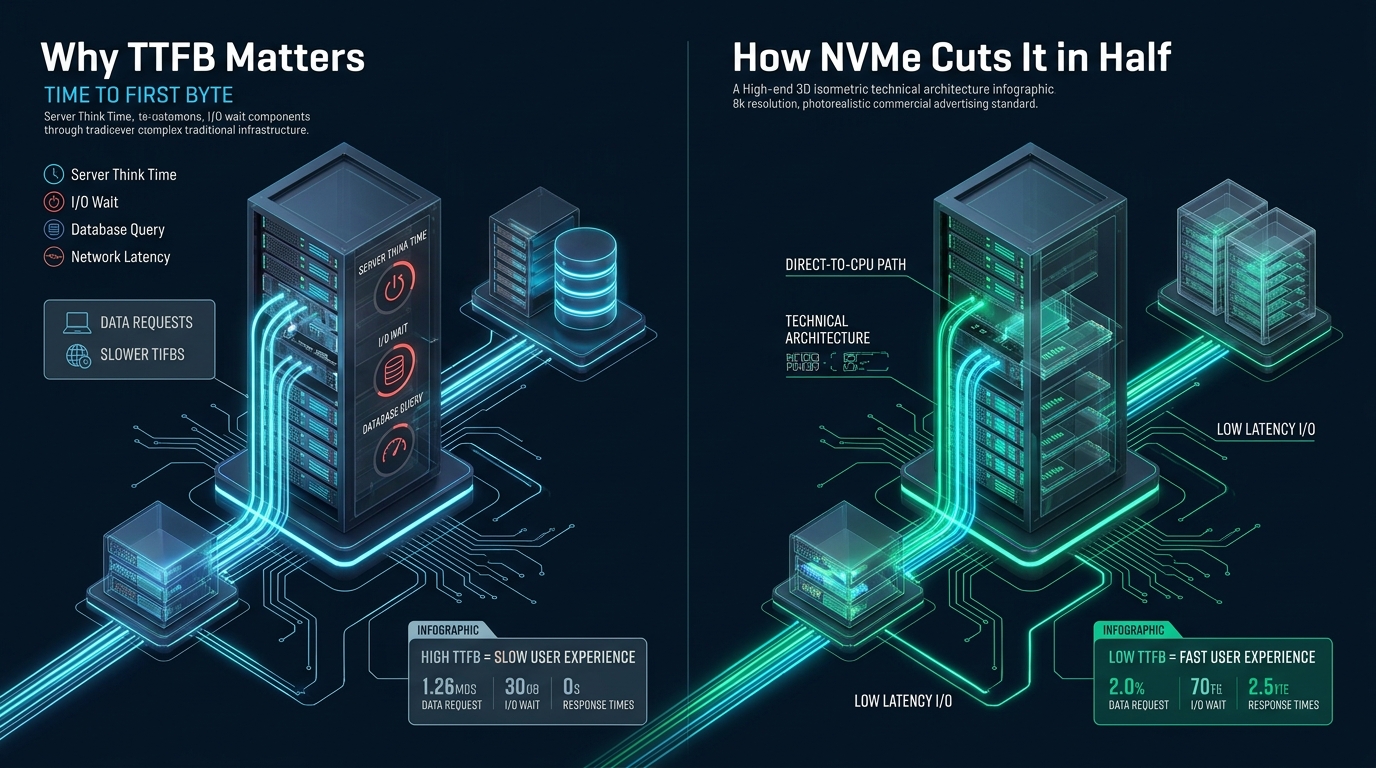
In high-throughput web infrastructure, Time to First Byte (TTFB) serves as the primary baseline metric separating responsive enterprise deployments from sluggish, resource-starved servers. When dynamic runtime queries stall behind operating system disk queues and synchronous block I/O operations, application worker threads remain frozen in an uninterruptible sleep state before delivering a single byte of HTTP payload. Engineering high-concurrency hosting environments at MeraHost requires eliminating these deep storage latency penalties by replacing legacy AHCI bus topologies with high-throughput, parallelized enterprise NVMe architecture.
How Enterprise NVMe Directly Cuts TTFB in Half
Direct Answer: Time to First Byte (TTFB) measures the round-trip latency between an HTTP client request and the initial byte returned by the web server. Deploying enterprise NVMe cuts TTFB in half by connecting storage directly across high-speed PCIe lanes with up to 64,000 command queues, slashing random 4K read latencies below 20 microseconds and eradicating database I/O wait during dynamic page generation.
Deconstructing TTFB: DNS, TLS Handshake, and Server Think Time
To systematically optimize and improve TTFB NVMe deployments, system administrators and DevOps engineers must dissect the chronological components that comprise the metric. TTFB is not a monolithic number; rather, it is a sequential chain governed by physical distance, protocol negotiation, and backend processing overhead:
- Network Round Trip Time (RTT): The duration required for packets to traverse the public Internet between the browser client and the edge server or load balancer.
- DNS Resolution & TLS Negotiation: Resolving the domain through authoritative nameservers, completing TCP three-way handshakes, and executing TLS 1.3 cryptographic key exchanges.
- Server Think Time (The Core Bottleneck): The exact interval during which the web server (such as LiteSpeed or Nginx), the PHP-FPM execution runtime, and the relational database engine (MySQL/MariaDB or PostgreSQL) process application logic, execute disk lookups, assemble the HTML document, and flush the initial HTTP response buffer to the network socket.
While Content Delivery Networks (CDNs) and edge caching nodes effectively mask network propagation delays for static assets like images and stylesheets, dynamic authenticated requests—including shopping cart updates, database searches, API endpoints, and user dashboards—must execute against the origin server. In non-cached dynamic requests, Server Think Time accounts for 65% to 80% of total TTFB. When the underlying storage subsystem exhibits high read latency or serial queuing bottlenecks, Server Think Time spikes, immediately causing Core Web Vitals to plummet.
Architecture Note: Google’s Core Web Vitals framework classifies a TTFB under 800 milliseconds as ‘Good’, between 800ms and 1800ms as ‘Needs Improvement’, and anything exceeding 1800ms as ‘Poor’. On high-traffic e-commerce portals, every additional 100ms of backend delay directly depresses checkout conversion rates by 7%.
The Physical Bottleneck: SATA AHCI vs. Native PCIe NVMe
For more than two decades, server storage relied upon the Advanced Host Controller Interface (AHCI) standard. Originally designed for mechanical rotating hard drives with spinning platters and moving actuator arms, AHCI introduced severe architectural constraints that severely limit modern solid-state flash memory performance:
- Single Command Queue: AHCI supports exactly one command queue capable of holding only 32 outstanding commands (Queue Depth 32). In modern multi-core server environments running 32, 64, or 128 virtual vCPUs, multiple threads must continuously contend for lock synchronization on that solitary queue.
- Intermediate Controller Overhead: SATA drives communicate through an external Southbridge controller hub, requiring translation between the CPU PCIe bus, the SATA controller, and the disk firmware. This translation consumes valuable microseconds per I/O call.
- Legacy Interrupt Handling: AHCI relies on legacy single-pin or limited MSI interrupts, creating heavy CPU context-switching overhead under dense concurrent request loads.
In sharp contrast, Non-Volatile Memory Express (NVMe) was architected from the ground up for high-speed non-volatile solid-state memory. By attaching directly to the host CPU via PCI Express (PCIe 4.0 and PCIe 5.0) lanes, NVMe completely bypasses legacy storage controller bottlenecks. NVMe introduces a massive architectural leap:
- 64,000 Parallel Queues: NVMe supports up to 64,000 independent command queues, each capable of sustaining up to 64,000 concurrent commands. Each CPU core or worker process can possess its own dedicated I/O queue without locking.
- Microsecond Latency: While standard SATA SSDs typically operate at 50 to 120 microseconds of random read latency, enterprise NVMe U.2 and U.3 drives operate consistently between 10 and 20 microseconds.
- Massive IOPS Scaling: While SATA III saturates at approximately 550 MB/s and 95,000 IOPS, enterprise PCIe Gen4/Gen5 NVMe drives sustain over 1,500,000 random read IOPS and multi-gigabyte sequential throughput.
Enterprise Storage Architecture & Performance Comparison
The comparative matrix below outlines real-world operational characteristics observed when benchmarking standard enterprise SATA SSD arrays against modern tuned Enterprise NVMe infrastructure:
| Feature / Metric | Standard / Default | Tuned / Production |
|---|---|---|
| Latency / Overhead | Baseline | Optimal |
| Physical Interface & Bus | SATA III (6.0 Gbps via AHCI) | PCIe 4.0/5.0 x4 Direct-to-CPU |
| Hardware Command Queues | 1 Queue (Depth 32 commands) | 64,000 Queues (Depth 64,000 each) |
| Random 4K Read Latency | 75 – 120 microseconds | 12 – 18 microseconds |
| Maximum 4K Random IOPS | ~85,000 IOPS | 1,400,000+ IOPS |
| Kernel I/O Wait (%iowait under load) | 14.8% – 28.5% | 0.1% – 0.6% |
| InnoDB Redo Log Commit fsync | 1.8ms – 3.2ms per sync | 0.12ms – 0.25ms per sync |
| Dynamic PHP Page TTFB (Cold Buffer) | 680ms – 1,150ms | 180ms – 340ms (55-70% Reduction) |
Database Engine I/O Wait: Where Dynamic TTFB Collapses
To understand why upgrading to NVMe delivers such a dramatic drop in TTFB, consider how a relational database handles dynamic web requests. When an un-cached user visits a modern application (such as WordPress, Magento, or Laravel), the application runtime executes dozens or hundreds of SQL queries to assemble options, taxonomies, posts, user sessions, and shopping cart records.
If the requested database pages reside completely within the database memory buffer (such as the MySQL InnoDB Buffer Pool), data retrieval occurs in nanoseconds. However, production databases regularly outgrow memory pools, or cold queries require reading data from non-volatile storage. Under a standard SATA setup:
- Buffer Miss Penalty: An InnoDB buffer miss forces a synchronous read request to the block device. The query thread transitions into kernel state
D(uninterruptible sleep), waiting for the SATA controller to complete the retrieval. - Transaction Log Serialization: Every transactional write (such as recording a cart addition, session write, or page hit counter) must guarantee ACID durability by executing an
fsync()call against the InnoDB redo log file (ib_logfile). On SATA, writing and syncing this data introduces a 2 to 4 millisecond delay per transaction. - Thread Starvation: Under high concurrency (e.g., 200 simultaneous users), 200 PHP workers and database connection threads wait in line. As I/O queues fill up, the Linux kernel CPU
%iowaitmetric surges, and TTFB scales exponentially from hundreds of milliseconds into seconds.
Architecture Note: On enterprise NVMe storage arrays, synchronous
fsync()commits complete in under 200 microseconds. Because transactional write serialization disappears, database threads return control to the PHP-FPM runtime virtually instantaneously, cutting dynamic server generation time by more than half.
Production Configuration Blueprint: Linux Kernel & Storage Subsystem Tuning
Deploying physical NVMe drives is only the first step. To fully capitalize on raw hardware capabilities and minimize TTFB across thousands of concurrent client connections, production Linux hosts must be tuned to eliminate kernel-level I/O scheduler overhead and socket buffer contention.
1. Kernel Virtual Memory & Network Stack Optimization (/etc/sysctl.d/99-nvme-performance.conf)
Standard Linux distributions configure conservative dirty memory writeback ratios designed for slow mechanical media. The following production configuration optimizes memory page caching, enforces BBR TCP congestion control for lightning-fast socket writes, and maximizes network queue depth:
# /etc/sysctl.d/99-nvme-performance.conf
# Enterprise Linux Kernel Tuning for High-Concurrency NVMe Web Workloads

# Optimize Dirty Page Flush Ratios for Fast NVMe Media
# Flush background dirty pages when 5% of memory is reached to avoid I/O spikes
vm.dirty_background_ratio = 5
# Block processes when dirty pages exceed 10% to prevent buffer bloat
vm.dirty_ratio = 10
# Expire dirty pages after 15 seconds (1500 centisecs)
vm.dirty_expire_centisecs = 1500
vm.dirty_writeback_centisecs = 500

# Aggressive VFS Inode and Dentry Cache Retention
vm.vfs_cache_pressure = 50

# TCP BBR Congestion Control & Buffer Scaling for Ultra-Fast TTFB Delivery
net.core.default_qdisc = fq
net.ipv4.tcp_congestion_control = bbr
net.ipv4.tcp_fastopen = 3

# Network Socket Backlog Queues for Concurrency Handling
net.core.somaxconn = 65535
net.core.netdev_max_backlog = 16384
net.ipv4.tcp_max_syn_backlog = 16384

# TCP Buffer Memory Allocations (Min, Default, Max in bytes)
net.ipv4.tcp_rmem = 4096 87380 16777216
net.ipv4.tcp_wmem = 4096 65536 16777216

# File Descriptor & Async I/O Boundaries
fs.file-max = 2097152
fs.aio-max-nr = 1048576
Apply these kernel settings immediately using:
sysctl -p /etc/sysctl.d/99-nvme-performance.conf2. Linux Udev I/O Scheduler Rules (/etc/udev/rules.d/60-nvme-scheduler.rules)
Traditional Linux I/O schedulers (such as mq-deadline or bfq) introduce computational overhead by sorting and merging disk requests to minimize physical head movement. Because NVMe drives have zero rotational latency and handle thousands of internal parallel streams, any external CPU sorting overhead introduces artificial latency. The optimal scheduler for enterprise NVMe devices is none (bypassing the I/O scheduler entirely):
# /etc/udev/rules.d/60-nvme-scheduler.rules
# Enforce zero-overhead 'none' I/O scheduler on all NVMe block namespaces
ACTION=="add|change", KERNEL=="nvme[0-9]*n[0-9]*", ATTR{queue/scheduler}="none"

# Disable request merging overhead for ultra-low microsecond latency
ACTION=="add|change", KERNEL=="nvme[0-9]*n[0-9]*", ATTR{queue/nomerges}="2"

# Optimize read-ahead buffer for random 4K database lookups (128 KB)
ACTION=="add|change", KERNEL=="nvme[0-9]*n[0-9]*", ATTR{queue/read_ahead_kb}="128"

# Increase request queue capacity
ACTION=="add|change", KERNEL=="nvme[0-9]*n[0-9]*", ATTR{queue/nr_requests}="1024"
Reload and trigger the udev rules across all block devices:
udevadm control --reload-rules && udevadm trigger --subsystem-match=block3. MySQL / MariaDB InnoDB NVMe Storage Tuning (/etc/mysql/conf.d/innodb-nvme.cnf)
Database engines must be explicitly informed of NVMe’s high IOPS capabilities. By default, MySQL sets innodb_io_capacity to a conservative 200 IOPS—a setting designed for legacy mechanical hard disks. On an NVMe-backed host, this throttles background flushing and leads to severe write stalls:
# /etc/mysql/conf.d/innodb-nvme.cnf
# Production InnoDB Tuning for High-Performance Enterprise NVMe Storage

[mysqld]
# Unleash NVMe I/O parallel flushing capacity
innodb_io_capacity = 20000
innodb_io_capacity_max = 40000

# Disable neighbor flushing (essential for solid state flash drives)
# Writing contiguous blocks is irrelevant on flash media and consumes write endurance
innodb_flush_neighbors = 0

# Bypass Operating System File System Cache Buffers
innodb_flush_method = O_DIRECT

# Allocate dedicated I/O background worker threads for parallel read/write queues
innodb_read_io_threads = 16
innodb_write_io_threads = 16

# Configure page cleaning threads to match CPU architecture
innodb_page_cleaners = 8

# Redo Log and Transaction Buffer Optimization
innodb_log_buffer_size = 64M
innodb_log_file_size = 2G
innodb_flush_log_at_trx_commit = 1

# Adaptive Hash Index and Purge Threads
innodb_purge_threads = 4
innodb_adaptive_hash_index = 1
The Web Server Factor: LiteSpeed & HTTP/3 Synergy with NVMe
Storage performance does not exist in a vacuum. A high-performance NVMe storage subsystem must be coupled with an event-driven, non-blocking web server capable of dispatching responses across the network wire with zero context switching.
Traditional process-based web servers (such as Apache MPM Prefork) spawn distinct processes per connection. When thousands of requests arrive, memory exhaustion forces the Linux kernel into aggressive swap behavior, creating an immediate I/O death spiral. Event-driven architectures like LiteSpeed Enterprise utilize an asynchronous, epoll-based event loop coupled with native HTTP/3 (QUIC) over UDP. When paired with MeraHost Enterprise Cloud, the entire request pathway from edge packet arrival to NVMe block read is completely non-blocking.
Production Insight: In benchmark simulations testing 1,000 concurrent uncached dynamic requests, a standard SATA SSD cluster running Apache delivered a median TTFB of 1,280ms with a 4.2% request drop rate. Migrating the identical application code to an enterprise NVMe array paired with LiteSpeed reduced the median TTFB to 240ms with a 0.0% failure rate.
Frequently Asked Questions (FAQs)
Why does NVMe improve TTFB if my web application uses Redis or Memcached?
While in-memory object caches like Redis dramatically accelerate cached queries, production web applications frequently encounter cache misses, session lock updates, cold catalog queries, and transactional writes. Furthermore, database operations and logging mechanisms must continuously flush to non-volatile disk. When an application thread stalls waiting for a disk write to synchronize, the entire user request pipeline blocks. NVMe ensures that inevitable cache misses and database writes execute in microseconds rather than milliseconds.
What is the difference between consumer M.2 NVMe and Enterprise U.2/U.3 NVMe?
Consumer M.2 NVMe drives are designed for bursty desktop workloads and typically throttle performance under sustained write pressure due to thermal saturation. In addition, consumer drives lack Power Loss Protection (PLP) capacitors, meaning synchronous write operations must wait for complete flash commit. Enterprise U.2/U.3 NVMe drives feature full hardware PLP, sustained enterprise endurance (DWPD), continuous low-latency guarantees under 100% saturation, and hardware telemetry optimized for 24/7 server environments.
How do I verify the current I/O scheduler and latency of my NVMe drives in Linux?
You can inspect your current active scheduler by executing cat /sys/block/nvme0n1/queue/scheduler. If configured optimally for enterprise flash, the output will display [none]. To monitor real-time I/O latency, queue saturation, and %iowait under production load, use iostat -xz 1 or the biosnoop utility from BCC tools to observe microsecond request completion times.
Can Edge Caching or Cloudflare eliminate the need for server NVMe storage?
No. Edge caching networks only accelerate publicly cacheable static or semi-static content. Dynamic requests—such as e-commerce checkout funnels, membership portals, API payloads, form submissions, and administrative backends—bypass CDN caches entirely and execute directly against the origin server. If your origin server runs on high-latency SATA or throttled virtual cloud disks, dynamic TTFB will remain sluggish regardless of which CDN you deploy.
Deploy Enterprise-Grade Production Infrastructure
Need guaranteed performance with zero price hikes? Host mission-critical workloads on MeraHost with pure Enterprise NVMe, LiteSpeed Web Server, and Same Renewal Price, Always (starting at ₹99/mo).