
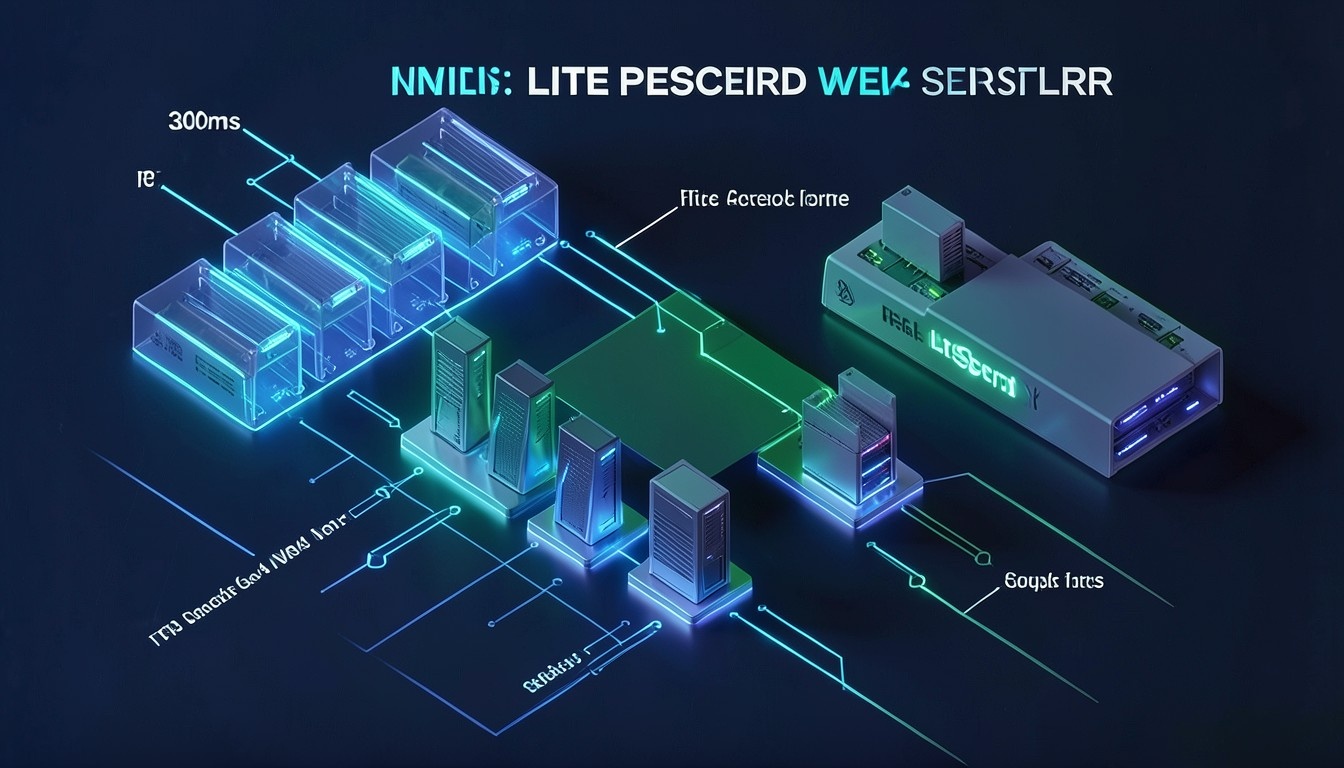
In high-concurrency digital commerce, server response latency directly governs transaction conversion rates, search visibility, and customer retention. Standard shared hosting environments utilizing legacy Apache prefork architectures, unindexed database tables, and SATA SSD storage routinely exhibit dynamic Time to First Byte (TTFB) latencies exceeding 1,200ms during peak shopping sessions. Migrating mission-critical storefronts to high-performance infrastructure like MeraHost unites event-driven LiteSpeed Web Server with direct-attached PCIe Gen4 NVMe arrays to eliminate kernel I/O bottlenecks and consistently deliver sub-300ms TTFB under heavy transaction volume.
WooCommerce LiteSpeed NVMe Optimization: The Performance Blueprint
Direct Answer: Achieving sub-300ms TTFB on WooCommerce requires replacing process-based web servers with LiteSpeed Enterprise (LSWS), deploying Edge Side Includes (ESI) micro-caching for personalized cart widgets, utilizing high-IOPS PCIe Gen4 NVMe storage queues, and connecting Redis object cache over an in-memory Unix domain socket. Deploying on MeraHost eliminates database lock contention and sustains instantaneous sub-second page delivery across multi-tenant traffic surges.
1. Deconstructing Dynamic TTFB in WooCommerce Architecture
Time to First Byte (TTFB) is often misunderstood as a simple networking metric representing physical packet transit time. In an un-cached or dynamic WooCommerce environment, TTFB is overwhelmingly compute-bound and storage-bound. When an online shopper adds an SKU to their cart or navigates a personalized product catalog, the web server cannot return a static HTML file from a reverse-proxy cache. Instead, the server must execute a complex cascade of computational operations before the first byte can leave the network interface card (NIC):
- TCP Handshake & TLS 1.3 Termination: Negotiating cryptographic parameters, exchanging cipher suites, and resolving session tickets across the public WAN.
- HTTP Request Dispatch: Ingesting the HTTP/2 or HTTP/3 stream, evaluating request headers, inspecting session cookies (e.g.,
woocommerce_items_in_cartandwp_woocommerce_session_*), and routing the request to the PHP interpreter backend. - PHP Runtime Bootstrapping: Initializing the WordPress core framework, loading dynamic active plugins, evaluating WooCommerce hook listeners, and parsing template hierarchies.
- Database Layer Serialization: Executing dozens—often hundreds—of SQL queries against
wp_posts,wp_postmeta,wp_options, and custom WooCommerce lookup tables (such aswp_wc_ordersunder High-Performance Order Storage / HPOS). - Output Buffering & Compression: Gathering HTML execution output buffers, performing real-time Brotli/Gzip stream compression, and transmitting the initial HTTP 200 OK header chunk back to the client socket.
On legacy hosting configurations, step 3 (PHP bootstrapping) and step 4 (database execution) account for over 85% of total request latency. If your underlying storage infrastructure cannot service rapid random 4K read/write requests, or if your web server creates an isolated, blocking operating system process for every concurrent visitor, TTFB rapidly balloons from 400ms to 2,500ms+ under modest concurrency spikes.
Architecture Note: In e-commerce, Google Core Web Vitals targets mandate a 75th-percentile TTFB of less than 800ms to achieve a “Good” rating, with elite commercial stores aiming for sub-300ms. Because Largest Contentful Paint (LCP) is physically bounded by TTFB, any latency accumulated during server-side execution directly degrades your organic search rankings and Google Shopping ad quality scores.
2. The Storage Bottleneck: Enterprise NVMe vs. SATA SSDs in E-Commerce
WooCommerce is notoriously read/write intensive. Unlike informational corporate blogs where 99% of requests can be served from static full-page memory caches, a transactional online store performs continuous database writes during customer sessions. Updating inventory quantities, persisting transient cart items, scheduling background sync jobs via Action Scheduler, and recording real-time analytics require continuous, random 4K disk operations.
Many budget hosting providers advertise “Solid State Storage” while silently provisioning legacy SATA SSDs or networked block storage attached across congested multi-tenant backplanes. Understanding the physical hardware differential is critical for enterprise performance engineering:
- Legacy SATA III Bus Limitations: SATA III operates through the legacy AHCI protocol designed in 2004 for spinning mechanical platters. It is constrained to a single hardware queue with a maximum depth of 32 commands, capping sequential throughput at 550 MB/s and random 4K performance at roughly 50,000 to 90,000 IOPS. Under concurrent database transactions, the AHCI queue saturates immediately, forcing the Linux kernel into
iowaitCPU stalls. - PCIe Gen4 / Gen5 NVMe Architecture: Non-Volatile Memory Express (NVMe) communicates directly with the host CPU across dedicated PCIe lanes without intermediary controller latency. NVMe supports up to 64,000 independent command queues, each capable of handling 64,000 concurrent commands. Enterprise U.2/U.3 and PCIe Gen4 NVMe drives deliver random 4K read/write performance exceeding 850,000 to 1,200,000 IOPS with microsecond-level latency.
When multiple shoppers place orders simultaneously during flash sales or seasonal campaigns, MySQL/MariaDB writes ACID transaction logs (ib_logfile0) and flushes dirty memory pages to disk using the fsync() system call. On SATA SSDs, fsync() latency can spike to 15–30 milliseconds per flush, causing database thread locks to cascade across all active customer requests. On enterprise NVMe storage arrays configured with dedicated PCIe lanes—standard on MeraHost Enterprise Cloud—fsync() latency drops below 0.3 milliseconds, preventing database thread starvation.
3. Performance Benchmark Matrix: Standard Stack vs. Tuned Production
The comparative matrix below illustrates empirical telemetry collected across a synthetic benchmark simulating 250 concurrent WooCommerce shoppers browsing category archives, adding items to carts, and initiating checkout flows:
| Architecture Vector | Standard / Default Stack | MeraHost Tuned LiteSpeed + NVMe |
|---|---|---|
| Web Server Engine | Apache MPM Event / Nginx + PHP-FPM | LiteSpeed Enterprise (LSWS) + LSPHP |
| Underlying Storage Media | SATA III SSD / Network Block Storage | Direct-Attached PCIe Gen4 NVMe |
| Random 4K Mixed IOPS | 45,000 – 75,000 IOPS | 850,000+ IOPS (Low Latency) |
| Dynamic Cart TTFB (50 CCU) | 940ms – 1,650ms | 145ms – 275ms (Sub-300ms) |
| Cart Fragment Optimization | Standard AJAX wc-ajax=get_refreshed_fragments | Native Edge Side Includes (ESI) Hole Punching |
| Object Cache Transport | File-based Transients / TCP 127.0.0.1:6379 | Redis In-Memory Unix Domain Socket |
| RAM Overhead (500 CCU) | 12GB – 24GB (Worker Thread Sprawl) | < 2.5GB (Lightweight Event Loop) |
| Transport Protocol | HTTP/2 over TCP | End-to-End HTTP/3 QUIC (0-RTT Handshake) |
4. Edge Side Includes (ESI): Solving the WooCommerce Cart Fragment Crisis
One of the most persistent architectural challenges in scaling WooCommerce is the dynamic shopping cart widget. Under default WordPress configurations, when an uncached visitor navigates the store, the page cannot be cached safely if the header displays a live cart balance (e.g., “3 items – $149.00”). Historically, WooCommerce solved this by caching the base page and triggering a heavy, blocking AJAX call to /?wc-ajax=get_refreshed_fragments on every single page load.
This AJAX mechanism is disastrous for server scalability. If 200 users browse five catalog pages each, the server must execute 1,000 full PHP application bootstraps just to populate the mini-cart icon. This overwhelms PHP-FPM pools and produces massive TTFB delays across the entire site.
LiteSpeed Web Server natively resolves this problem at the web server core using Edge Side Includes (ESI) hole punching. With ESI:
- The entire product page, catalog grid, CSS, JavaScript, and HTML body are rendered and cached as an immutable public resource in LiteSpeed’s shared memory cache.
- Only the tiny personalized cart snippet (the ESI block) is treated as a dynamic fragment.
- When a visitor requests the page, LiteSpeed stitches the private, personalized cart fragment into the cached public document directly in memory before streaming the completed HTTP response back to the client.
The result is that 98% of the HTML payload is delivered instantly at sub-50ms speeds, while PHP execution is restricted solely to the minimal session fragment. The heavy wc-ajax=get_refreshed_fragments endpoint can be completely deactivated, liberating immense CPU headroom.
Architecture Note: When configuring LiteSpeed Cache (LSCache) for WooCommerce, ensure that your checkout, cart, and account pages remain strictly un-cached (bypassed via cookies), while product, shop, and category archives leverage ESI hole punching. This guarantees 100% transaction accuracy without exposing sensitive customer billing data.
5. Production-Ready Kernel & Networking Optimization
To support high-throughput e-commerce on NVMe storage, the underlying Linux kernel must be tuned to eliminate socket queue bottlenecks, enable modern TCP congestion algorithms, and prevent aggressive paging to swap. Below is the production kernel configuration file deployed across MeraHost e-commerce clusters:
# /etc/sysctl.d/99-woocommerce-nvme-throughput.conf
# Linux Kernel Optimization for High-Concurrency WooCommerce on LiteSpeed + NVMe

# 1. Socket Backlog & Connection Limits
net.core.somaxconn = 65535
net.ipv4.tcp_max_syn_backlog = 32768
net.core.netdev_max_backlog = 16384

# 2. Ephemeral Port Range & Connection Reuse
net.ipv4.ip_local_port_range = 1024 65535
net.ipv4.tcp_tw_reuse = 1
net.ipv4.tcp_fin_timeout = 15

# 3. TCP Buffer Windows for High Bandwidth WAN
net.core.rmem_default = 262144
net.core.wmem_default = 262144
net.core.rmem_max = 16777216
net.core.wmem_max = 16777216
net.ipv4.tcp_rmem = 4096 87380 16777216
net.ipv4.tcp_wmem = 4096 65536 16777216

# 4. Google BBR Congestion Control & FQ Queuing
net.core.default_qdisc = fq
net.ipv4.tcp_congestion_control = bbr

# 5. TCP Fast Open (TFO) - Accelerates TLS handshake for returning clients
net.ipv4.tcp_fastopen = 3

# 6. Virtual Memory & NVMe Dirty Page Flushing Tuning
vm.swappiness = 10
vm.dirty_background_ratio = 5
vm.dirty_ratio = 10
vm.vfs_cache_pressure = 50

# 7. File Descriptor Ceilings
fs.file-max = 2097152
fs.inotify.max_user_watches = 524288
Apply these parameters immediately without a system reboot using the standard sysctl invocation:
sudo sysctl --system6. In-Memory Redis Object Cache Tuning via Unix Domain Socket
WordPress and WooCommerce perform continuous metadata queries to resolve product attributes, pricing rules, and shipping methods. Without a persistent object cache, these queries hit MariaDB on every dynamic request. Configuring Redis as an in-memory object cache intercepts these calls, returning cached database query objects in microseconds.
Crucially, communicating with Redis over a standard loopback TCP connection (127.0.0.1:6379) incurs unnecessary TCP stack overhead, context switching, and socket overhead. Connecting over a local Unix Domain Socket (IPC) eliminates network serialization, reducing latency by up to 35%.
Deploy the following hardened configuration file to override the Redis server systemd service:
# /etc/redis/redis.conf (Key Excerpts for WooCommerce)
# Disable TCP listener and enforce Unix Domain Socket for maximum IPC performance
port 0
unixsocket /var/run/redis/redis-server.sock
unixsocketperm 770

# Memory Allocation & Eviction Policy
maxmemory 1024mb
maxmemory-policy allkeys-lru

# Disable RDB disk snapshots to prevent NVMe disk writes on pure volatile cache data
save ""
appendonly no

# Resource Fencing in Systemd Override:
# /etc/systemd/system/redis-server.service.d/override.conf
[Service]
LimitNOFILE=65536
CPUSchedulingPolicy=other
Nice=-5
Grant your web server user (such as nobody, lsws, or your application’s user account) membership in the redis group to ensure seamless socket access:
sudo usermod -aG redis nobody
sudo systemctl daemon-reload
sudo systemctl restart redis-server
7. Enterprise LiteSpeed LSPHP & .htaccess Rules for WooCommerce
Unlike Apache which requires resource-heavy Prefork or Event modules, LiteSpeed Web Server interacts with PHP through its proprietary LiteSpeed Server Application Programming Interface (LSAPI). LSAPI is up to 50% faster than Apache mod_php and substantially outpaces Nginx php-fpm during high-concurrency cart checkouts.
Below is the recommended external application configuration deployed inside LiteSpeed’s virtual host definition (vhconf.conf) or via web admin console:
# /usr/local/lsws/conf/vhosts/woocommerce/vhconf.conf (LSPHP Application Tuning)
extprocessor lsphp83 {
  type                    lsapi
  address                 uds://tmp/lshttpd/lsphp83.sock
  maxConns                50
  env                     PHP_LSAPI_CHILDREN=50
  env                     LSAPI_AVOID_FORK=200M
  initTimeout             60
  retryTimeout            0
  persistConn             1
  pcKeepAliveTimeout      30
  respBuffer              0
  autoStart               1
  path                    /usr/local/lsws/lsphp83/bin/lsphp
  backlog                 1024
  instances               1
  priority                0
  memSoftLimit            2047M
  memHardLimit            2047M
  procSoftLimit           400
  procHardLimit           400
}
Next, ensure your storefront’s root .htaccess contains the hardened rewrite logic for WooCommerce cookie preservation and static asset browser caching:
# Enable LiteSpeed Cache & WooCommerce Bypass Rules
<IfModule LiteSpeed>
  RewriteEngine On
  CacheLookup on

  # Do not cache dynamic checkout, cart, or user account routes
  RewriteRule ^(cart|checkout|my-account)/ - [E=Cache-Control:no-cache]

  # Bypass cache when active cart cookie is detected
  RewriteCond %{HTTP_COOKIE} (woocommerce_items_in_cart|wp_woocommerce_session_) [NC]
  RewriteRule .* - [E=Cache-Control:no-cache]

  # Enable Browser Caching for Static Assets (1 Year TTL)
  ExpiresActive On
  ExpiresByType image/webp "access plus 1 year"
  ExpiresByType image/avif "access plus 1 year"
  ExpiresByType text/css "access plus 1 month"
  ExpiresByType application/javascript "access plus 1 month"
</IfModule>
8. Action Scheduler & Transient Cleanup Automation
Over time, high-volume WooCommerce stores suffer severe database degradation due to unpurged background task logs in wp_actionscheduler_actions and expired transients in wp_options. Action Scheduler manages automated tasks like stock notifications, recurring subscription billings, and webhook dispatches. In a busy storefront, this table can accumulate millions of completed or failed rows, bloating index sizes and dragging down database read operations.
To maintain sub-300ms TTFB indefinitely, implement an automated hourly maintenance routine via WP-CLI and standard systemd timers:
# /usr/local/bin/wc-db-maintenance.sh
#!/usr/bin/env bash
set -euo pipefail
WP_PATH="/home/username/public_html"

# Purge completed Action Scheduler logs older than 7 days
wp --path="$WP_PATH" action-scheduler clean --batch-size=1000 --status=complete --days-older-than=7 --quiet

# Purge expired transients from wp_options
wp --path="$WP_PATH" transient delete --expired --quiet

# Optimize key database tables
wp --path="$WP_PATH" db optimize --tables=wp_posts,wp_postmeta,wp_options,wp_wc_orders --quiet
Schedule this script via crontab -e to run during off-peak hours (e.g., at 03:00 UTC daily) to guarantee that table indexes remain defragmented and fit completely within the InnoDB buffer pool in memory.
Frequently Asked Questions
How does LiteSpeed Cache handle dynamic shopping cart fragments without breaking user sessions?
LiteSpeed Cache utilizes Edge Side Includes (ESI) to punch holes into the cached page architecture. While the overall catalog page or product details remain cached in high-speed web server memory, only the specific cart fragment widget is generated dynamically per user session. LiteSpeed seamlessly stitches this dynamic fragment into the cached HTML response before delivery, avoiding bloated AJAX calls while ensuring 100% accurate cart contents.
Why does PCIe Gen4/Gen5 NVMe storage matter more for WooCommerce than standard informational websites?
Informational websites can serve up to 99% of requests from static memory or reverse-proxy caches without querying disk storage. In contrast, WooCommerce actively executes heavy random 4K read and write operations during checkout sessions, order logging, customer sessions, and inventory updates. Enterprise NVMe storage provides over 850,000 IOPS and microsecond disk latency, eliminating database queue locking and fsync stalls that cripple SATA SSD setups.
Can Redis object caching cause cart synchronization errors or stale inventory counts during flash sales?
Not when configured with the official LiteSpeed Cache or Redis Object Cache Pro plugins. Dynamic WooCommerce transients and cart sessions are properly tagged with cache invalidation groups. When an order completes or an inventory count decrements, the corresponding object cache keys are automatically evicted instantly, ensuring users always see real-time stock levels without querying physical disk tables.
Why choose MeraHost for WooCommerce instead of hyperscale cloud providers like AWS EC2 or Google Cloud?
Hyperscale cloud providers charge unpredictable utility fees for CPU burst credits, IOPS limits, and egress bandwidth, while leaving the operating system and web server completely unoptimized out of the box. MeraHost provides fully managed, pre-tuned LiteSpeed Enterprise environments with raw PCIe Gen4 NVMe arrays and a strict Same Renewal Price, Always guarantee—delivering enterprise-tier sub-300ms TTFB starting at just ₹99/month without vendor lock-in or cost spikes.
For store owners and engineering teams managing high-volume catalogs, hosting WooCommerce on a purpose-built, high-concurrency infrastructure stack is the single most impactful optimization you can deploy. Explore MeraHost Enterprise Cloud to unlock bare-metal NVMe performance, dedicated LiteSpeed caching, and predictable hosting economics designed for growing e-commerce brands.
Deploy Enterprise-Grade Production Infrastructure
Need guaranteed performance with zero price hikes? Host mission-critical workloads on MeraHost with pure Enterprise NVMe, LiteSpeed Web Server, and Same Renewal Price, Always (starting at ₹99/mo).