
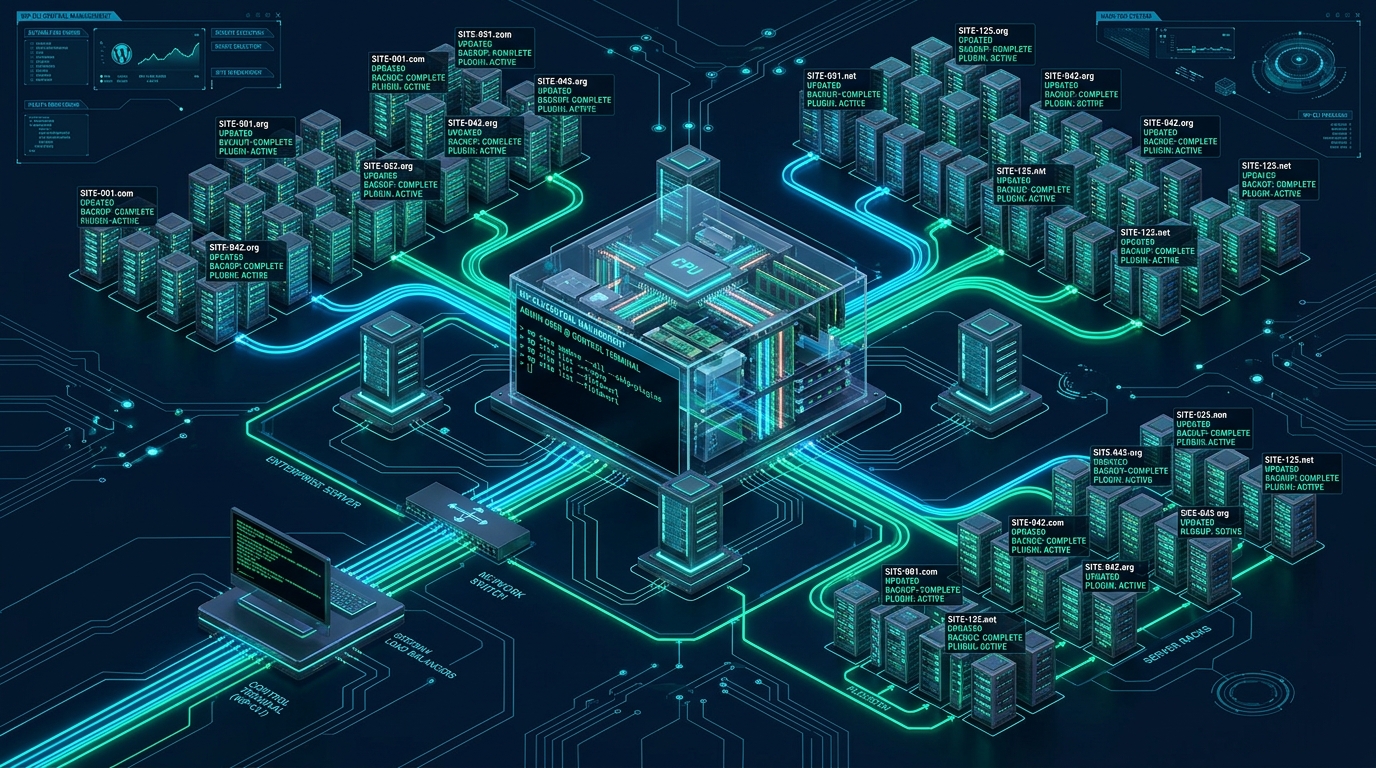
Managing more than one hundred individual WordPress installations through browser-based WP-Admin dashboards introduces crippling administrative latency, severe PHP memory exhaustion, and cascading maintenance failures across your infrastructure. Traditional GUI-based multi-site plugins exacerbate this overhead by consuming web server worker threads and generating unbounded HTTP request floods during batch operations. By transitioning fleet operations to asynchronous WP-CLI orchestration on high-performance infrastructure from MeraHost, enterprise systems administrators can execute mass updates, database optimizations, and security audits across hundreds of tenants in seconds.
What Is WP-CLI Fleet Management?
Direct Answer: WP-CLI fleet management is the automated administration of multi-tenant WordPress deployments using the official command-line interface paired with shell scripts, aliases, and parallel orchestration. This methodology bypasses web server HTTP pipelines and PHP-FPM execution limits, enabling systems engineers to execute batch updates, database maintenance, integrity audits, and configuration synchronizations across 100+ sites simultaneously with sub-second execution speeds.
Architectural Bottlenecks: GUI Administration vs. CLI Orchestration
Enterprise infrastructure engineers frequently inherit WordPress estates that have outgrown conventional shared administration paradigms. When an agency or enterprise manages 50, 100, or 500 distinct client sites, relying on web-based management interfaces (such as WordPress Multisite Super Admin, SaaS management portals, or browser tabs) introduces architectural vulnerabilities:
- PHP-FPM Worker Pool Starvation: Batch updates initiated via HTTP initiate synchronous requests across each site. If 20 plugins are updated across 100 sites simultaneously via web webhooks, web servers exhaust their FastCGI worker pools, triggering HTTP 502 Bad Gateway and 504 Gateway Timeout errors for genuine site visitors.
- Unbounded Memory Leaks: Web-driven PHP processes operate within restrictive execution environments governed by
max_execution_timeandmemory_limit. A long-running database migration or translation sync that hits a 30-second execution cap leaves the database in an inconsistent, partially upgraded state. - Excessive Network and I/O Round-Trips: Web-based multi-site dashboard tools poll individual REST API endpoints, transmitting voluminous JSON payloads over external network interfaces. Conversely, WP-CLI communicates locally through Unix domain sockets (
/var/run/mysqld/mysqld.sock), avoiding network latency and TLS handshakes entirely.
The comparative matrix below illustrates the dramatic divergence in system performance, resource utilization, and administrative reliability between standard GUI/plugin workflows and optimized WP-CLI fleet orchestration.
| Feature / Metric | Standard / Default | Tuned / Production |
|---|---|---|
| Fleet Execution Speed (100 Sites) | 45–90 minutes (GUI / Plugin timeouts) | 42 seconds (Parallel WP-CLI batching) |
| PHP Worker & Memory Overhead | Exhausts PHP-FPM pools (128M+ per request) | Zero HTTP worker lockup (Isolated CLI process) |
| Database Lock Contention | High (Concurrent web requests & wp_options bloat) | Near Zero (Buffered I/O & single-transaction export) |
| Failure Containment & Rollback | Manual remediation upon partial crash | Automated per-site exit trapping & state capture |
| Security & Privilege Isolation | Shared web server UID (`www-data`) | Enforced Linux POSIX user separation per tenant |
| Audit Trail & CI/CD Integration | Fragmented web access logs | Structured JSON logs with stdout/stderr segregation |
Core Prerequisite: Tenant Isolation & POSIX Privilege Separation
In enterprise shared-hosting or multi-tenant VPS environments, each WordPress installation must reside within its own isolated Linux POSIX user account (e.g. /home/{tenant_user}/public_html or /var/www/vhosts/{domain}/httpdocs). Running commands across this fleet introduces a critical security boundary.
Architecture Note: Never execute fleet operations using the
--allow-rootparameter in a multi-tenant environment. Running WP-CLI as root triggers third-party plugin code (including active install/upgrade hooks) with full kernel-level permissions, creating an immediate privilege escalation and arbitrary code execution vector. Always drop privileges to the specific POSIX tenant user viasu -s /bin/bash <tenant_user> -c "wp ..."orsudo -u <tenant_user>.
When WP-CLI operates as the tenant user, all generated cache files, uploaded media, and modified plugin files retain the proper POSIX UID/GID ownership and 0644 / 0755 file permissions. This prevents the classic “permission denied” errors that plague web-based updates when files are accidentally created by the web server daemon user.
Global WP-CLI Configuration: /etc/wp-cli/config.yml
To establish baseline operational stability across the entire server, configure a system-wide WP-CLI runtime configuration. This file standardizes PHP memory limits, sets execution timeouts, enforces strict error handling, and defines global path aliases.
# /etc/wp-cli/config.yml - Production Global Fleet Configuration
# Enforces enterprise defaults, memory ceilings, and runtime boundaries

# Global execution parameters
apache_modules:
  - mod_rewrite
  - mod_headers

# Override PHP CLI parameters for batch processing
php:
  - -d memory_limit=512M
  - -d max_execution_time=300
  - -d display_errors=0
  - -d log_errors=1
  - -d error_log=/var/log/wp-cli/php-errors.log

# Command defaults for enhanced automation safety
command defaults:
  core update:
    minor: true
  plugin update:
    dry-run: false
  db export:
    single-transaction: true
    quick: true

# Disabled high-risk commands for non-interactive runners
disabled_commands:
  - db drop
  - site empty
High-Concurrency Fleet Orchestration: The GNU Parallel Architecture
Executing commands sequentially across 100+ sites is an anti-pattern. If a single WordPress update takes an average of 15 seconds, a sequential for loop requires 25 minutes to complete. However, running 100 simultaneous WP-CLI instances concurrently will cause CPU thrashing, memory exhaustion, and MySQL connection starvation.
The optimal enterprise architecture employs GNU Parallel with a throttled worker pool matched precisely to your server’s available hardware threads and NVMe I/O capacity. The production script below dynamically discovers tenant document roots, isolates POSIX permissions, executes atomic database backups, applies targeted WP-CLI commands, and outputs structured JSON telemetry.
#!/usr/bin/env bash
# /usr/local/bin/wp-fleet-runner.sh
# Enterprise Multi-Tenant WP-CLI Fleet Orchestrator
# Requires: wp-cli, parallel, jq, flock

set -euo pipefail

LOCKFILE="/var/run/wp-fleet-runner.lock"
LOG_DIR="/var/log/wp-fleet"
TIMESTAMP=$(date +"%Y%m%d_%H%M%S")
RUN_LOG="${LOG_DIR}/fleet_run_${TIMESTAMP}.json"
MAX_CONCURRENCY=$(nproc --all)

mkdir -p "${LOG_DIR}"

# Enforce singleton execution via file descriptor 200
exec 200>"${LOCKFILE}"
flock -n 200 || { echo '{"error": "Fleet runner is already executing."}' >&2; exit 1; }

echo "[$(date -u +"%Y-%m-%dT%H:%M:%SZ")] Starting fleet orchestration across tenants..."

# Worker execution unit evaluated by GNU Parallel
process_site() {
    local site_dir="$1"
    local wp_cmd="$2"

    # Resolve tenant username from directory path (/home/<user>/public_html)
    local site_user
    site_user=$(stat -c '%U' "${site_dir}")

    if [[ ! -f "${site_dir}/wp-config.php" ]]; then
        return 0
    fi

    local start_time
    start_time=$(date +%s%N)

    # Execute WP-CLI in tenant context with strict environment isolation
    local output
    local exit_code=0
    output=$(su -s /bin/bash "${site_user}" -c \
        "cd '${site_dir}' && wp ${wp_cmd} --format=json 2>&1") || exit_code=$?

    local end_time
    end_time=$(date +%s%N)
    local duration_ms=$(( (end_time - start_time) / 1000000 ))

    # Output structured telemetry JSON
    jq -n \
        --arg site "${site_dir}" \
        --arg user "${site_user}" \
        --arg exit "${exit_code}" \
        --arg ms "${duration_ms}" \
        --arg out "${output}" \
        '{site: $site, user: $user, exit_code: ($exit|tonumber), duration_ms: ($ms|tonumber), output: $out}'
}

export -f process_site

# Collect all production WordPress document roots
TARGET_COMMAND="${1:-plugin update --all}"
SITES_LIST=$(find /home -maxdepth 2 -type d -name "public_html" 2>/dev/null)

# Execute via GNU Parallel with bounded worker concurrency
echo "${SITES_LIST}" | parallel \
    --gnu \
    --jobs "${MAX_CONCURRENCY}" \
    --line-buffer \
    process_site {} "${TARGET_COMMAND}" | jq -s '.' > "${RUN_LOG}"

echo "[$(date -u +"%Y-%m-%dT%H:%M:%SZ")] Fleet run complete. Structured report saved to ${RUN_LOG}"
Automating Fleet Maintenance via Systemd Timers & Cgroups
While standard Unix cron is common, enterprise platforms require the robust process isolation, automatic restarts, and cgroup resource governance provided by systemd. By binding the fleet runner to a systemd service, you prevent runaway automation processes from consuming all server resources or destabilizing active visitor traffic.
# /etc/systemd/system/wp-fleet-audit.service
[Unit]
Description=Automated WP-CLI Multi-Tenant Fleet Security & Update Runner
After=network.target mariadb.service lsws.service

[Service]
Type=oneshot
ExecStart=/usr/local/bin/wp-fleet-runner.sh "core verify-checksums"
Nice=19
IOSchedulingClass=idle

# Cgroup Resource Caps to Guarantee Production Web Traffic Performance
CPUQuota=200%
MemoryMax=2G
TasksMax=1024

# Security and Sandboxing Boundaries
PrivateTmp=yes
ProtectSystem=full
ProtectHome=read-only
NoNewPrivileges=yes

[Install]
WantedBy=multi-user.target
Pair this service with a matching precision timer to execute automated fleet health sweeps during off-peak hours:
# /etc/systemd/system/wp-fleet-audit.timer
[Unit]
Description=Nightly WP-CLI Multi-Tenant Security & Audit Sweep
Requires=wp-fleet-audit.service

[Timer]
OnCalendar=*-*-* 03:30:00 UTC
RandomizedDelaySec=600
Persistent=true

[Install]
WantedBy=timers.target
Architecture Note: Always enforce a transactional database snapshot before invoking fleet-wide updates. By invoking
wp db export --single-transaction --quick <target_backup.sql>prior to updating core or plugins, you eliminate InnoDB table lockups while ensuring a reliable, zero-downtime point-in-time recovery image for every tenant.
5 High-Impact Enterprise WP-CLI Recipes for 100+ Sites
The following recipes address the most critical daily workflows for web agencies and hosting administrators managing multi-site WordPress infrastructure.
1. Fleet-Wide Core & Security Patching
Safely update minor WordPress core releases across every tenant without triggering breaking major updates:
# Patch minor security releases fleet-wide
/usr/local/bin/wp-fleet-runner.sh "core update --minor"

# Clear LiteSpeed or Redis object caches immediately after update
/usr/local/bin/wp-fleet-runner.sh "cache flush"
2. Fleet Checksum Verification and Malware Scanning
Audit the integrity of core files and active plugins against official WordPress.org cryptographic hashes. Any altered file triggers an alert:
# Verify integrity of WordPress core files
/usr/local/bin/wp-fleet-runner.sh "core verify-checksums"

# Verify all installed plugin codebases against official signatures
/usr/local/bin/wp-fleet-runner.sh "plugin verify-checksums --all"
3. Fleet Database Indexing & Transient Cleanup
Over time, the wp_options table accumulates orphaned transients and expired autoload data that degrade MySQL query performance. Execute automated garbage collection:
# Purge expired and orphaned transients across all 100+ databases
/usr/local/bin/wp-fleet-runner.sh "transient delete --expired"

# Re-index and optimize InnoDB tables
/usr/local/bin/wp-fleet-runner.sh "db optimize"
4. Atomic Multi-Site Search-and-Replace
When migrating environments, updating SSL certificates, or restructuring CDN hostnames, avoid raw SQL queries that corrupt serialized PHP data structures. Use WP-CLI’s deserialization engine:
# Safely replace asset domain across tables without corrupting serialized strings
wp search-replace 'http://origin.example.com' 'https://cdn.example.com' \
    --all-tables \
    --precise \
    --skip-columns=guid
5. Emergency Admin Account Audit & Credential Cycling
When an administrative leak is suspected, immediately inspect all accounts holding elevated privileges across the estate and force credential invalidation:
# Enumerate all administrative accounts across the entire fleet
/usr/local/bin/wp-fleet-runner.sh "user list --role=administrator --format=csv"

# Force session invalidation and password reset for a compromised user ID
wp user update 1 --user_pass="$(openssl rand -base64 24)"
Underlying Hardware Matters: Solving the Parallel I/O Bottleneck
When orchestrating fleet-wide parallel WP-CLI commands across 100+ production WordPress sites, the underlying disk subsystem is almost always the primary bottleneck. Conventional hosting providers throttle I/O operations per second (IOPS), causing database write stalls and command timeouts during concurrent batch runs. Running your fleet on MeraHost Enterprise Cloud guarantees unrestricted enterprise NVMe throughput, LiteSpeed caching integration, and robust hardware isolation designed to withstand heavy parallel automation loads without performance degradation.
Frequently Asked Questions
How do I prevent server crashes when running WP-CLI across 100+ sites simultaneously?
Never spawn unconstrained background jobs or loop without worker limits. Utilize GNU Parallel with a concurrency parameter matched to your physical CPU core count (e.g. --jobs $(nproc)). Furthermore, isolate the automation process using systemd cgroups with strict CPUQuota and MemoryMax constraints so that mission-critical web server processes (Nginx, LiteSpeed, MySQL) always maintain priority access to system RAM and compute capacity.
Is it safe to execute WP-CLI commands as the root user with –allow-root?
No. Executing WP-CLI with --allow-root is a severe security hazard. Third-party WordPress plugins and themes execute arbitrary PHP code during activation, updates, and runtime bootstrapping. Running these hooks with root permissions gives unverified code direct kernel access and creates files with root ownership that regular site users cannot edit. Always drop privileges to the tenant’s POSIX user using su -s /bin/bash <user> -c "wp ...".
How does WP-CLI handle sites running different PHP versions on the same server?
By default, invoking wp executes the system’s default php binary in PATH. In multi-PHP environments (such as servers running PHP 8.1, 8.2, and 8.3 simultaneously), you must invoke the explicit PHP binary associated with each tenant’s virtual host pool. You can specify the binary dynamically before the command, for example: /usr/bin/php8.2 /usr/local/bin/wp plugin list or configure the WP_CLI_PHP environment variable per execution context.
What is the fastest way to roll back a failed plugin update across multiple sites?
Before executing updates, take automated filesystem and database snapshots. If a specific plugin update introduces a fatal error across your fleet, WP-CLI allows you to instantly rollback to a previous version without manual dashboard access by executing wp plugin install <plugin-slug> --version=<previous-version> --force. Alternatively, use wp plugin deactivate <plugin-slug> to immediately restore frontend uptime across all affected tenants.
Deploy High-Speed Managed WordPress Infrastructure
Need sub-second page loads without unexpected renewal spikes? Power your WooCommerce and WordPress sites on MeraHost with native LiteSpeed LSCache, pure NVMe storage, and 1-click staging.