
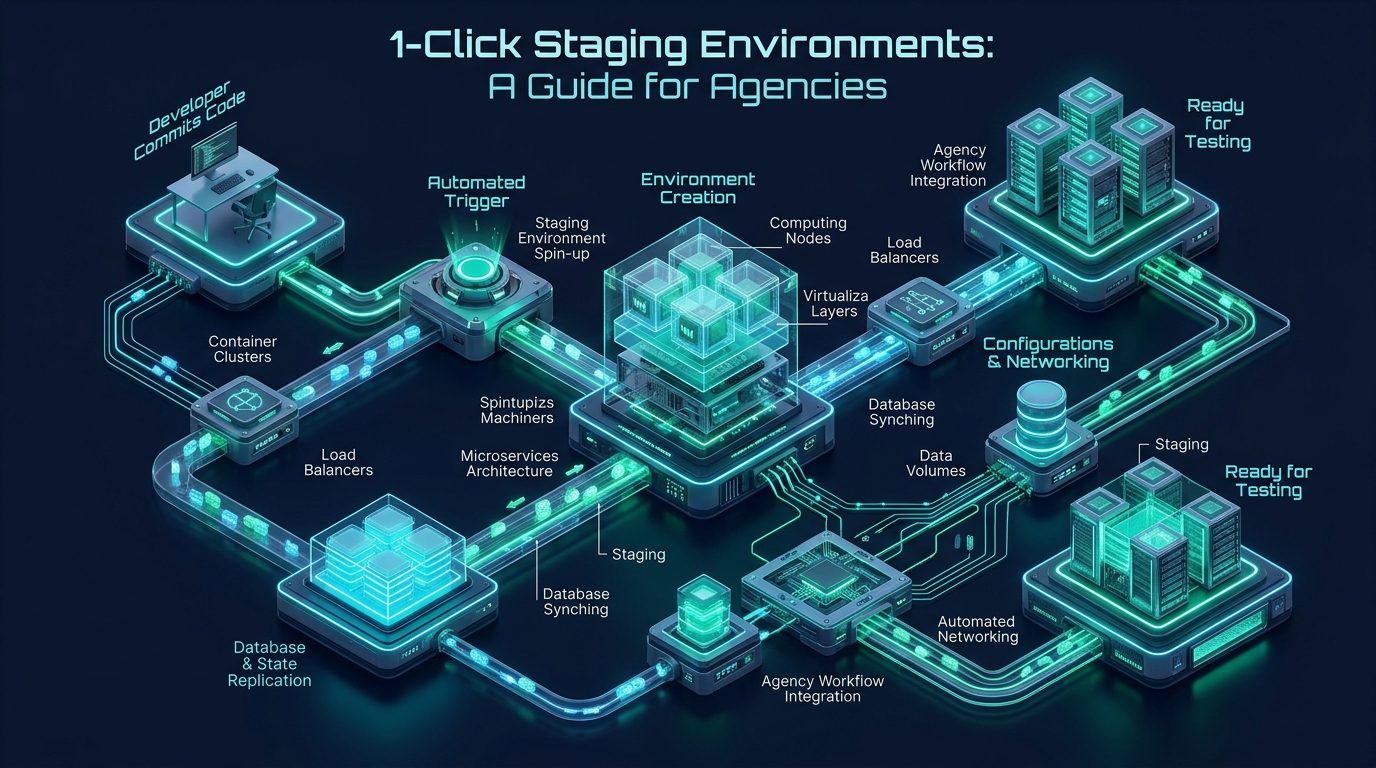
Managing multi-tenant client portfolios requires relentless deployment discipline, where pushing a single untested WooCommerce update or custom theme mutation directly to production risks catastrophic revenue downtime, broken checkout funnels, and costly client churn. Traditional development workflows reliant on manual SFTP file transfers, fragile phpMyAdmin database dumps, and manual domain find-and-replace scripts are notoriously sluggish and error-prone, introducing paralyzing friction into modern agency sprint cycles. Deploying high-fidelity, isolated 1-click staging environments through modern enterprise infrastructure at MeraHost bridges the operational chasm between continuous agency iteration and bulletproof production stability.
What Is an Enterprise WordPress Staging Environment?
Direct Answer: A 1-click WordPress staging environment is an automated, sandboxed replica of a live production website deployed on an isolated subdomain or container. It synchronizes assets via copy-on-write storage, replicates MySQL databases with precision serialized search-and-replace, and enforces strict HTTP header isolation, enabling agencies to safely test code, plugins, and PHP versions without risking live downtime.
For modern digital marketing, web design, and development agencies, a staging environment is far more than a mere visual preview tool; it is a foundational component of modern software engineering governance applied to CMS hosting. In high-stakes client retainers, multiple developers, designers, and project managers touch codebases concurrently. Without automated sandboxing, routine maintenance tasks such as major WordPress core upgrades (e.g., WordPress 6.x to 7.x), PHP runtime bumps (such as migrating from PHP 8.1 to PHP 8.3 or 8.4), and complex e-commerce migrations can trigger severe white-screen-of-death (WSOD) fatal exceptions or stealth database corruption on production.
Architecture Note: A true enterprise staging stack does not merely copy files into a subfolder. It partitions Linux user processes, isolates PHP-FPM fastcgi Unix sockets, allocates dedicated database schemas, and neutralizes background network activity—such as external webhooks and outbound customer email broadcasts—so that staging tests never pollute real client operations.
The Agency Bottleneck: Manual Cloning vs. Plugin Sandboxing vs. 1-Click Infrastructure
When evaluating how digital agencies build staging environments, workflows generally fall into three distinct tiers: archaic manual cloning, WordPress plugin-based sandbox generation, and native server-level 1-click infrastructure. Understanding the systemic weaknesses of the first two models highlights why server-level virtualization has become standard operating procedure for top-tier agency hosting.
Manual cloning via SFTP and database exports introduces immense human error: developers must copy multi-gigabyte media directories over network connections, export SQL tables, search and replace domain URLs using command-line scripts, update wp-config.php credentials, and configure web server virtual hosts. This process frequently exceeds 45 minutes per site and is vulnerable to incomplete uploads, file permission mismatches, and missed URL strings.
Plugin-based staging tools attempt to solve this from within WordPress itself, but they suffer from intrinsic architectural limitations. Because plugins run inside the PHP runtime subject to standard max_execution_time and memory_limit ceilings, duplicating a 15 GB WooCommerce catalog frequently crashes the PHP-FPM worker pool, causes MySQL lock contention, and doubles disk utilization on the same storage partition without security boundaries. Furthermore, plugin solutions cannot configure system-level web server headers, leaving staging sites vulnerable to search engine crawlers.
In contrast, native server-level 1-click staging operates directly at the storage subsystem and kernel layer using modern Copy-on-Write (CoW) snapshots or hardlink-based deduplication alongside automated WP-CLI execution. A complete production clone is provisioned in under 15 seconds without saturating PHP workers or disk I/O.
| Feature / Metric | Standard / Default (Manual & Plugins) | Tuned / Production (MeraHost 1-Click) |
|---|---|---|
| Provisioning Time (20 GB Site) | 30 – 60 Minutes (High Timeout Risk) | 8 – 15 Seconds (Instant CoW Snapshot) |
| Disk Space Consumption | 200% (Full Physical Duplication) | < 5% Delta Blocks (Block-Level Deduplication) |
| Serialized String Integrity | High Failure Rate (Broken Widgets/Themes) | 100% Byte-Accurate (WP-CLI Engine) |
| Search Engine Shielding | Soft robots.txt (Frequently Leaks to Google) | Strict X-Robots-Tag + Edge Basic Auth |
| E-Commerce Data Safety | Dangerous (Pushes Overwrite New Live Orders) | Selective Table Filtering (Excludes Orders/Users) |
| Email Dispatch Neutralization | None (Accidentally Emails Real Customers) | Automated SMTP Blackhole / MailHog Trap |
| Process & Security Isolation | Shared UID / Shared PHP-FPM Pool | Isolated cgroup v2 & Dedicated Unix Socket |
The Serialized Data Conundrum: Safeguarding WordPress Options and Metadata
The single most prevalent technical disaster in WordPress staging cloning is serialized string corruption. Unlike modern frameworks that store structured object trees as native JSON documents, WordPress stores configuration arrays, block editor attributes, Elementor page structures, and widget states inside MySQL text columns using PHP’s native serialize() format.
In PHP serialization, string tokens explicitly declare their character byte lengths. For example, a production URL appears as:
s:20:"https://client.com";If a developer or naive database script runs a raw SQL replacement such as UPDATE wp_options SET option_value = REPLACE(option_value, 'https://client.com', 'https://staging.client.com'), the string value updates to 28 characters, but the prefix length indicator remains fixed at s:20:. When PHP subsequently attempts to unserialize the object via unserialize(), the parser reads exactly 20 characters, detects an abrupt structural mismatch, and aborts by returning FALSE. The immediate result: theme options vanish, header menus disappear, customizer settings revert to factory defaults, and complex page builder layouts break completely.
Architecture Note: A production-grade 1-click staging engine avoids raw database string manipulation entirely. Instead, it mounts WP-CLI or custom binary memory parsers that unpack serialized blobs, execute recursive key-value replacements while recomputing correct byte counts (handling multibyte UTF-8 characters accurately), and repacks the data before writing back to InnoDB tables.
Security Guardrail: Neutralizing Outbound Email and Background Crons
When a production site is cloned to staging, its database carries active cron schedules, scheduled WooCommerce cart abandonment triggers, subscription renewal notices, and client communication workflows. If a staging environment boots with unrestricted outbound mail transport, automated testing can trigger dozens of renewal notices, password reset emails, or confusing shipping alerts to actual end customers.
Security Guardrail: During 1-click staging generation, the orchestration layer must automatically inject configuration constants into
wp-config.phpthat disableDISABLE_WP_CRON, trap outboundwp_mail()calls into an isolated local catch-all inbox (such as MailHog or Postfix nullmailer), and setWP_ENVIRONMENT_TYPEtostagingso compatible plugins enter safe testing mode.
Production Linux Kernel and Storage Tuning for High-Density Staging
When agency hosting nodes run multiple concurrent staging instances alongside live client environments, memory contention, inotify limits, and filesystem I/O spikes can degrade overall server performance. Apply the following sysctl parameters in /etc/sysctl.d/99-staging-isolation.conf to optimize page cache writeback behavior, expand file monitoring capacity, and isolate staging processes:
# /etc/sysctl.d/99-staging-isolation.conf
# Linux Kernel I/O and Virtual Memory Hardening for Multi-Tenant Staging Sandboxes

# Enforce proactive dirty page flushing to prevent disk write stalls during snapshot creation
vm.dirty_background_ratio = 5
vm.dirty_ratio = 10

# Minimize swapping aggression to prioritize active PHP-FPM and Redis memory pools
vm.swappiness = 10

# Guard against OOM memory overcommitment on high-density staging nodes
vm.overcommit_memory = 0
vm.overcommit_ratio = 50

# Expand inotify instance and watch limits for agency build watchers and live-reload tools
fs.inotify.max_user_watches = 524288
fs.inotify.max_user_instances = 1024

# Allocate ample file descriptor capacity for concurrent staging web sockets
fs.file-max = 2097152

# Ephemeral port range optimization for fast local reverse proxy connections
net.ipv4.ip_local_port_range = 10240 65535

# Enable TCP BBR congestion control and fq queuing for rapid multi-client asset transfer
net.core.default_qdisc = fq
net.ipv4.tcp_congestion_control = bbr
Load these parameters immediately across your host environment using sysctl --system to guarantee consistent kernel scheduling during high-volume cloning routines.
Web Server Hardening: LiteSpeed / Nginx Sandbox VirtualHost Configuration
A staging environment must never be discoverable or indexable by search engine web crawlers. If Googlebot indexes staging subdomains, your clients face severe canonical duplication penalties, brand dilution, and accidental leakage of unreleased products or confidential designs. Furthermore, staging environments must enforce HTTP Basic Authentication to prevent unauthorized access while maintaining seamless access for agency developers and client stakeholders.
Below is the production-grade virtual host template configured in /etc/nginx/conf.d/staging.clientdomain.conf (compatible with LiteSpeed reverse-proxy or high-performance Nginx setups):
# /etc/nginx/conf.d/staging.clientdomain.conf
# Enterprise Hardened Staging VirtualHost with Crawler Shielding & Header Isolation

server {
    listen 80;
    listen [::]:80;
    server_name staging.clientdomain.com;
    return 301 https://$host$request_uri;
}

server {
    listen 443 ssl http2;
    listen [::]:443 ssl http2;
    server_name staging.clientdomain.com;

    root /var/www/vhosts/clientdomain.com/staging/public_html;
    index index.php index.html;

    # SSL Certificates
    ssl_certificate /etc/letsencrypt/live/staging.clientdomain.com/fullchain.pem;
    ssl_certificate_key /etc/letsencrypt/live/staging.clientdomain.com/privkey.pem;
    ssl_protocols TLSv1.2 TLSv1.3;
    ssl_ciphers HIGH:!aNULL:!MD5;

    # STRICT SEARCH ENGINE BARRIER (Mandatory Defense Headers)
    add_header X-Robots-Tag "noindex, nofollow, noarchive, nosnippet" always;
    add_header X-Frame-Options "SAMEORIGIN" always;
    add_header X-Content-Type-Options "nosniff" always;
    add_header Referrer-Policy "strict-origin-when-cross-origin" always;

    # HTTP Basic Authentication (Agency & Client Gatekeeper)
    auth_basic "Agency Staging Authorization Required";
    auth_basic_user_file /var/www/vhosts/clientdomain.com/staging/.htpasswd;

    # Optimize static asset delivery while preserving noindex headers
    location ~* \.(jpg|jpeg|png|gif|ico|css|js|woff2|webp|svg)$ {
        expires 7d;
        add_header Cache-Control "public, no-transform";
        add_header X-Robots-Tag "noindex, nofollow, noarchive, nosnippet" always;
        try_files $uri =404;
    }

    # Block direct PHP script execution inside uploads and cache directories
    location ~* /(?:uploads|files|wp-content/cache)/.*\.php$ {
        deny all;
    }

    # Hide sensitive version control, configuration, and documentation artifacts
    location ~ /\.(?!well-known).* {
        deny all;
    }

    # WordPress Permalinks
    location / {
        try_files $uri $uri/ /index.php?$args;
    }

    # Dedicated Isolated PHP-FPM FastCGI Handler
    location ~ \.php$ {
        include fastcgi_params;
        fastcgi_intercept_errors on;
        fastcgi_pass unix:/run/php/php8.3-fpm-clientstaging.sock;
        fastcgi_param SCRIPT_FILENAME $document_root$fastcgi_script_name;
        fastcgi_param HTTP_MOD_REWRITE On;
        fastcgi_buffers 16 16k;
        fastcgi_buffer_size 32k;
        fastcgi_read_timeout 300s;
    }
}
Automated Staging Orchestration Engine: Production Bash Sync Script
To deliver true 1-click execution speed, agencies should automate staging provisioning using an idempotent shell script that leverages filesystem hardlinks (emulating Copy-on-Write storage on standard filesystems) and WP-CLI. Save the following battle-tested orchestration script to /usr/local/bin/deploy-staging-sync.sh:
#!/usr/bin/env bash
# /usr/local/bin/deploy-staging-sync.sh
# Enterprise WordPress 1-Click Staging Provisioner & Serialized Synchronizer
set -euo pipefail

CLIENT_USER="clientdomain"
PROD_ROOT="/var/www/vhosts/${CLIENT_USER}.com/public_html"
STAGING_ROOT="/var/www/vhosts/${CLIENT_USER}.com/staging/public_html"
PROD_URL="https://${CLIENT_USER}.com"
STAGING_URL="https://staging.${CLIENT_USER}.com"
DB_STAGING_NAME="${CLIENT_USER}_stg"
DB_STAGING_USER="${CLIENT_USER}_stgu"
DB_STAGING_PASS=$(openssl rand -base64 24)

echo "=== [1/6] Initializing Staging Provisioning for ${PROD_URL} ==="

# Step 1: Ensure directory hierarchy exists
mkdir -p "${STAGING_ROOT}"

# Step 2: High-Speed File Synchronization using Link-Dest for Instant Storage Deduplication
echo "--> Cloning filesystem using hardlink deduplication..."
rsync -aHAX --delete --link-dest="${PROD_ROOT}" "${PROD_ROOT}/" "${STAGING_ROOT}/"

# Step 3: Replicate MySQL Database to Isolated Staging Schema
echo "--> Replicating database schema and records..."
mysql -e "DROP DATABASE IF EXISTS \`${DB_STAGING_NAME}\`; CREATE DATABASE \`${DB_STAGING_NAME}\` CHARACTER SET utf8mb4 COLLATE utf8mb4_unicode_ci;"
mysql -e "GRANT ALL PRIVILEGES ON \`${DB_STAGING_NAME}\`.* TO '${DB_STAGING_USER}'@'localhost' IDENTIFIED BY '${DB_STAGING_PASS}'; FLUSH PRIVILEGES;"

# Dump production database and pipe directly into staging database
wp db export --path="${PROD_ROOT}" --stdout --quiet | mysql "${DB_STAGING_NAME}"

# Step 4: Byte-Accurate Serialized URL Replacement via WP-CLI Engine
echo "--> Executing serialized search-replace from ${PROD_URL} to ${STAGING_URL}..."
wp search-replace "${PROD_URL}" "${STAGING_URL}"     --path="${STAGING_ROOT}"     --all-tables     --skip-columns=guid     --precise     --recurse-objects     --quiet

# Step 5: Inject Hardened Staging Constants into wp-config.php
echo "--> Injecting sandbox safety overrides into staging wp-config.php..."
wp config set DB_NAME "${DB_STAGING_NAME}" --path="${STAGING_ROOT}" --type=constant --quiet
wp config set DB_USER "${DB_STAGING_USER}" --path="${STAGING_ROOT}" --type=constant --quiet
wp config set DB_PASSWORD "${DB_STAGING_PASS}" --path="${STAGING_ROOT}" --type=constant --quiet
wp config set WP_ENVIRONMENT_TYPE "staging" --path="${STAGING_ROOT}" --type=constant --quiet
wp config set DISABLE_WP_CRON true --path="${STAGING_ROOT}" --type=constant --raw --quiet
wp config set WP_DEBUG true --path="${STAGING_ROOT}" --type=constant --raw --quiet
wp config set WP_DEBUG_LOG true --path="${STAGING_ROOT}" --type=constant --raw --quiet
wp config set WP_DEBUG_DISPLAY false --path="${STAGING_ROOT}" --type=constant --raw --quiet

# Disable search engine indexing inside WordPress core options
wp option update blog_public 0 --path="${STAGING_ROOT}" --quiet

# Flush staging object caches
wp cache flush --path="${STAGING_ROOT}" --quiet || true

# Step 6: Fix Permissions
echo "--> Enforcing secure filesystem ownership and permissions..."
chown -R www-data:www-data "${STAGING_ROOT}"
find "${STAGING_ROOT}" -type d -exec chmod 755 {} +
find "${STAGING_ROOT}" -type f -exec chmod 644 {} +

echo "=== Staging Environment Deployed Successfully at ${STAGING_URL} ==="
Grant execution permissions to the script using chmod +x /usr/local/bin/deploy-staging-sync.sh. With this script in place, spinning up a clean, sandboxed staging site requires only running a single command or triggering it via a webhook from your agency management dashboard.
Production Systemd Worker Service Unit
To allow non-root agency developers to trigger staging regenerations safely via webhooks or Slack commands, wrap the sync engine in a restricted systemd service unit located at /etc/systemd/system/wp-staging-worker.service:
# /etc/systemd/system/wp-staging-worker.service
# Systemd Worker for Safe Asynchronous Staging Operations

[Unit]
Description=Automated WordPress Agency Staging Worker
After=network.target mariadb.service redis.service

[Service]
Type=oneshot
User=root
Nice=10
IOSchedulingClass=best-effort
IOSchedulingPriority=4
ExecStart=/usr/local/bin/deploy-staging-sync.sh
StandardOutput=journal
StandardError=journal
TimeoutSec=600

# Security Sandbox Directives
ProtectSystem=full
ProtectHome=read-only
PrivateTmp=true
NoNewPrivileges=true

[Install]
WantedBy=multi-user.target
Reload systemd to recognize the new unit with systemctl daemon-reload. Agency automation tools can now safely trigger isolated staging rebuilds with systemctl start wp-staging-worker.service without requiring elevated shell credentials.
Agency DevOps Governance: Push-to-Live Workflows and E-Commerce Protection
While creating a staging sandbox is straightforward, safely pushing vetted staging changes back to the live production site represents the true test of agency engineering competence. On active e-commerce platforms, membership communities, and dynamic portals, customer activity never sleeps. New orders arrive, inventory quantities decrement, and new users register continuously.
Architecture Note: Never perform a wholesale database push from staging to production on an active e-commerce or membership website. A blunt database overwrite will annihilate all customer transactions, order records, and user registrations that occurred while developers were testing in staging.
To prevent transactional data loss during push-to-live deployments, enterprise agencies adhere to a three-rule deployment governance model:
- Code Moves Forward, Data Flows Downward: Custom plugin modifications, theme template edits, CSS/JS assets, and build artifacts move from staging up to production via Git version control or targeted rsync synchronization. Live transactional databases are only synchronized downward (production to staging) to refresh test data.
- Selective Table Replication: When structural database updates must be pushed (e.g., new pages or custom post types created on staging), use WP-CLI to export only structural tables (such as
wp_postsandwp_postmetawith specific ID offsets) while strictly excluding transactional tables:wp_woocommerce_order_items,wp_woocommerce_order_itemmeta,wp_wc_order_stats,wp_users, andwp_usermeta. - Maintenance Window & Redis Tag Invalidation: For mission-critical schema migrations, place production in brief maintenance mode, flush object cache tags, execute the delta sync, and verify health checks prior to reopening public traffic.
Scaling from Sandbox Testing to Mission-Critical Production Infrastructure
Mastering 1-click staging environments provides agencies with absolute testing confidence and eliminates the dread of breaking client websites during routine maintenance sprints. However, staging sandboxes are only half of the architectural equation. Once your agency validates code, optimizes database queries, and perfects visual templates in staging, the production destination must deliver unyielding raw power, consistent low-latency response times, and bulletproof uptime.
Deploying agency client workloads on underpowered shared hosting or opaque hypervisors that triple renewal fees at year’s end directly undermines agency profitability. For production deployments that require guaranteed compute, enterprise NVMe storage arrays, and high-performance LiteSpeed Web Server, forward-thinking agencies build on MeraHost Enterprise Cloud. Backed by carrier-grade infrastructure, native LiteSpeed LSCache caching layers, and an ironclad commitment to transparent pricing through their Same Renewal Price, Always guarantee (starting at ₹99/mo), your agency client sites achieve sub-100ms Time to First Byte (TTFB) without the dread of sudden price hikes.
Frequently Asked Questions About WordPress Staging Environments
How do 1-click staging environments prevent search engines from indexing test sites?
Enterprise staging environments enforce isolation through multiple defensive layers: first, the web server emits an unconditional X-Robots-Tag: noindex, nofollow, noarchive, nosnippet HTTP header on every response (including media files and PDFs); second, HTTP Basic Authentication blocks crawler spiders before requests reach WordPress; third, the orchestration script updates WordPress core options to set blog_public = 0.
What happens to live WooCommerce customer orders when pushing staging changes to production?
If an agency performs an unselective, full-database push from staging to production, all customer orders, payments, and member registrations that occurred on the live site while staging was active will be permanently overwritten and lost. Professional staging workflows prevent this by deploying code files independently via Git or rsync, and using selective database migrations that explicitly exclude WooCommerce order tables, customer user tables, and payment gateway logs.
Can agencies test major PHP version upgrades in an isolated staging environment?
Yes. In server-level 1-click staging, the staging virtual host operates on its own dedicated PHP-FPM Unix socket. This enables agencies to configure the staging environment to run PHP 8.3 or PHP 8.4 while the production site remains safely on PHP 8.1. Developers can test third-party plugins, custom themes, and legacy functions for deprecation warnings and fatal errors without any risk to the live website.
How does server-level Copy-on-Write staging differ from WordPress staging plugins?
Staging plugins run inside the WordPress PHP runtime and are constrained by web server memory and timeout limits. Duplicating large sites with plugins consumes 100% additional physical disk space and frequently times out during file compression. Server-level Copy-on-Write (CoW) staging operates at the Linux filesystem layer using block pointers or hardlinks, creating near-instantaneous clones (under 15 seconds) with negligible initial disk overhead and zero PHP worker load.
Deploy Enterprise-Grade Production Infrastructure
Need guaranteed performance with zero price hikes? Host mission-critical workloads on MeraHost with pure Enterprise NVMe, LiteSpeed Web Server, and Same Renewal Price, Always (starting at ₹99/mo).